2.6
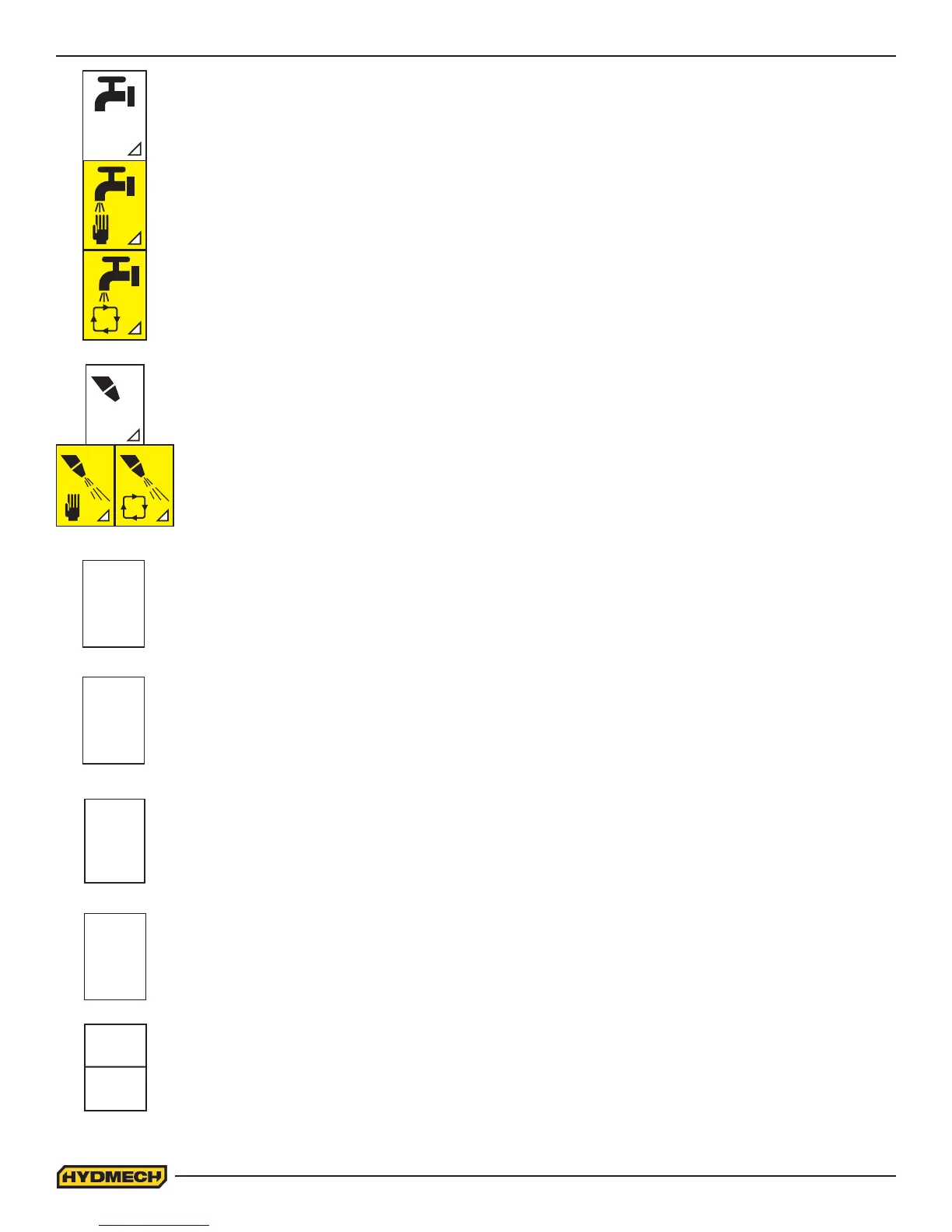
COOLANT “F2”:
• Press F2 continuously until desired COOLANT mode is selected. The pictogram will be changed to
yellow when selected.
• Coolant O (White Background) - When selected no coolant will ow
• Coolant Manual - When selected Coolant will ow continuously
• Coolant Automatic - When selected Coolant will ow only when the blade is running OR when the
blade is running and the head is descending.
reset
PC
RUN
PROG
reset
QUEUE
reset
TCT
mm
inch
MIST OPTION “F4”:
• Press F4 continuously until desired MIST mode is selected. The pictogram will be changed to yellow
when selected.
• Mist O (White Background) - When selected no coolant will ow
• Mist Manual & Automatic - Blade start must be selected for the MIST to operate
UNITS “F3”:
• This button is used to change the values between metric and imperial
RESET PC “F5”:
• This button is used to reset the number of pieces cut
RESET QUEUE “F1”:
• This button is used to reset the queue
RESET TCT “F4”:
• This button is used to reset the total time cut
RUN PROG “F5”:
• This button is used to program a sequence of jobs in Automatic Queue Mode




 To Next Page