E
E
3130
D/E/F 18.303.H5/05.19
D/E/F 18.303.H5/05.19
9. Programming enable
The unit has 2 types of programming enable which must both be set to "ON" to
change the settings. The software programming enable can be set or removed
during operation. It provides protection from unintentional alteration.
A programming disable via the hardware programming enable means that no
change to the settings can be carried out during operation. This serves, for
example, as a safety function or as protection against unauthorised alterations.
9.1. ALTERING THE SOFTWARE PROGRAMMING ENABLE
press both keys
simultaneously and
hold down for 3s.
display alter setting using individual key:
ON = programming possible
OFF = programming disable
temperature
display
Setting Display Setting Pre-
range setting
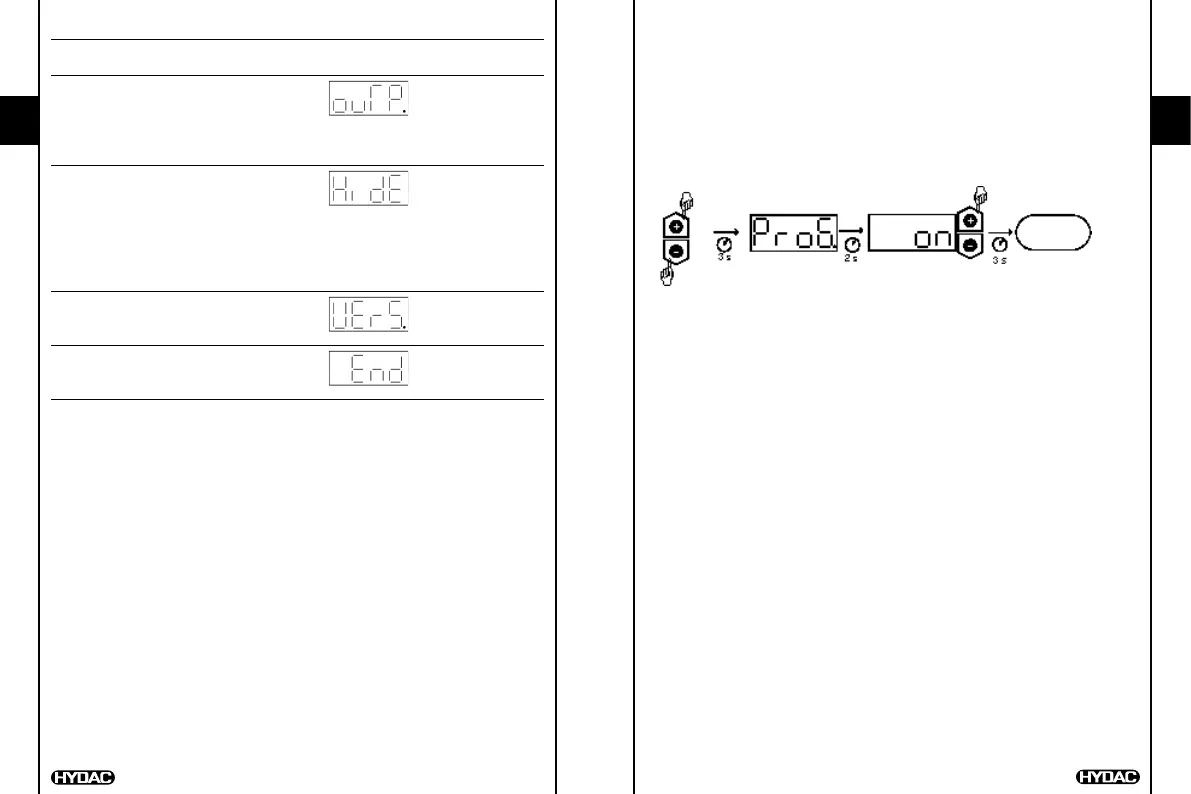
Analogue output (Output) MAMP/ VOLT
"MAMP": The analogue output supplies VOLT
a 4..20 mA signal.
"VOLT": The analogue output supplies
a 0..10 V signal.
Hidden basic settings menu (Hide) YES/NO NO
"YES": The basic settings menu is
hidden and can only be
accessed if the keys for
calling up the menu are held
down when the supply voltage
is switched on.
Version number (Version)
Display of the current software version
(for reference only)
To end basic settings (End) YES/NO NO


 To Next Page