10 11
User Guide User GuideHYDRAFACIAL MD
™
Elite
™
HYDRAFACIAL MD
™
Elite
™
EN EN
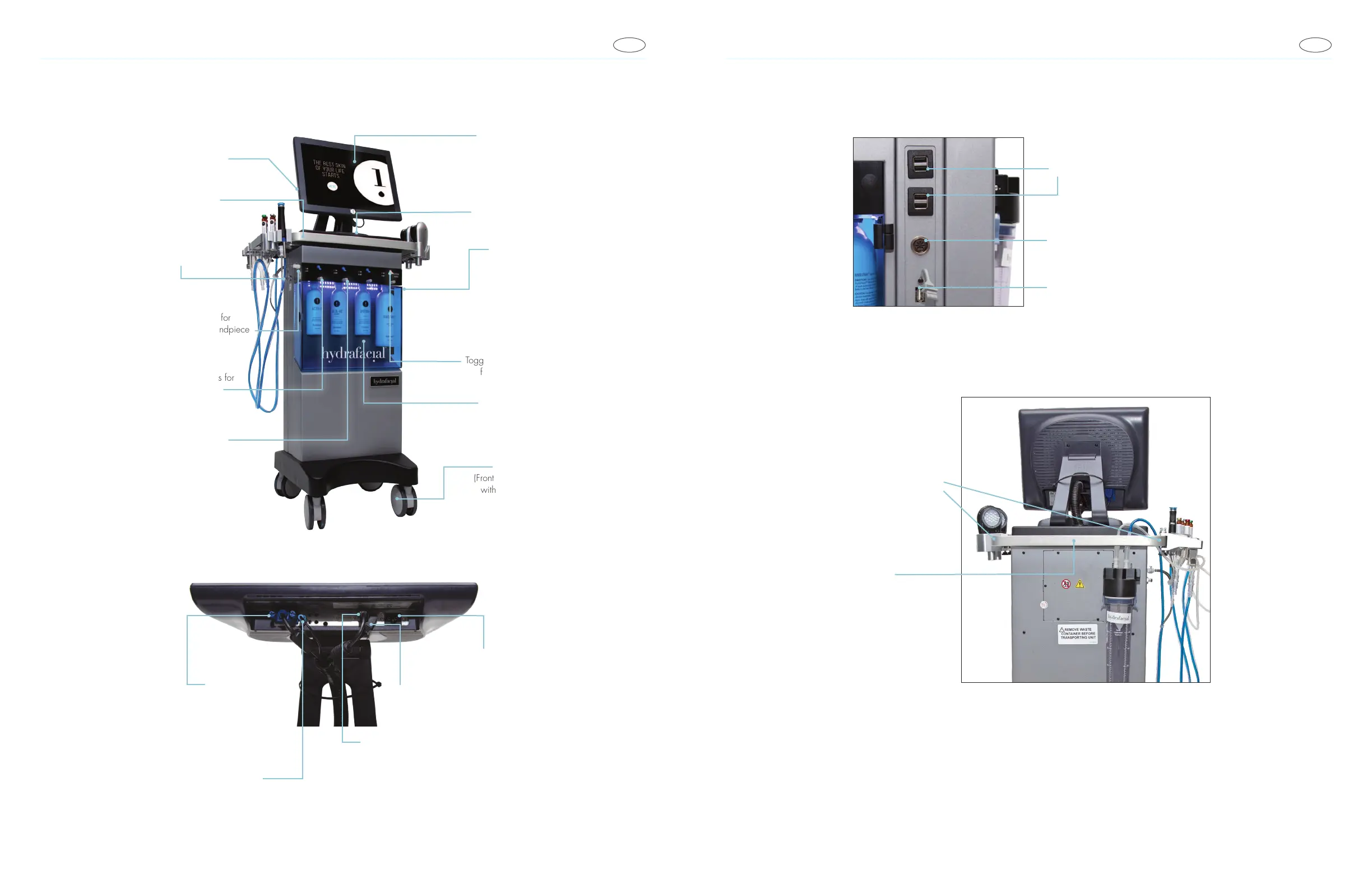
System Components
Port for Waste Canister
(Rear of the Unit)
Accessory Rail
Dry Port
Coupling Fitting for
HydraFacial Handpiece
Manifold Buttons for
Solution Bottles
Pick-Up Tubes for
Skin Solution and
System Cleaning
Solution Bottles
Touchscreen
Illuminated
Power Switch
Side Panel:
USB Port
Toggle Switches
for Solutions
Removable
Acrylic Door
Wheels
(Front Wheels
with Brakes)
3.5 mm Jack Audio Cable
USB Type A Cable
DC Barrel Connector
(3.5mm)
AC Connector (Not Used)
VGA Cable
(Port can only be used to connect VGA
cable from inside HydraFacial Device
to the HydraFacial Device Monitor)
(Port can only be used to connect USB Type
A Cable from inside HydraFacial Device
to the HydraFacial Device Monitor)
Note: The ports and cables can only be used for connections as specied
and cannot be used for other types of connection.
USB 5V 1A
(Power only, no data)
Skin Imaging Camera Connector
(Not available in all countries)
USB with data (5V 500 mA)
For Backing up Skin Imagin Data
and/or Restoring Data.
Only install accessories
on two sides of handrail
Only use the back
of handrail to move
the device



 To Next Page