16 17
User Guide User GuideHYDRAFACIAL MD
™
Elite
™
HYDRAFACIAL MD
™
Elite
™
EN EN
Protocol Page
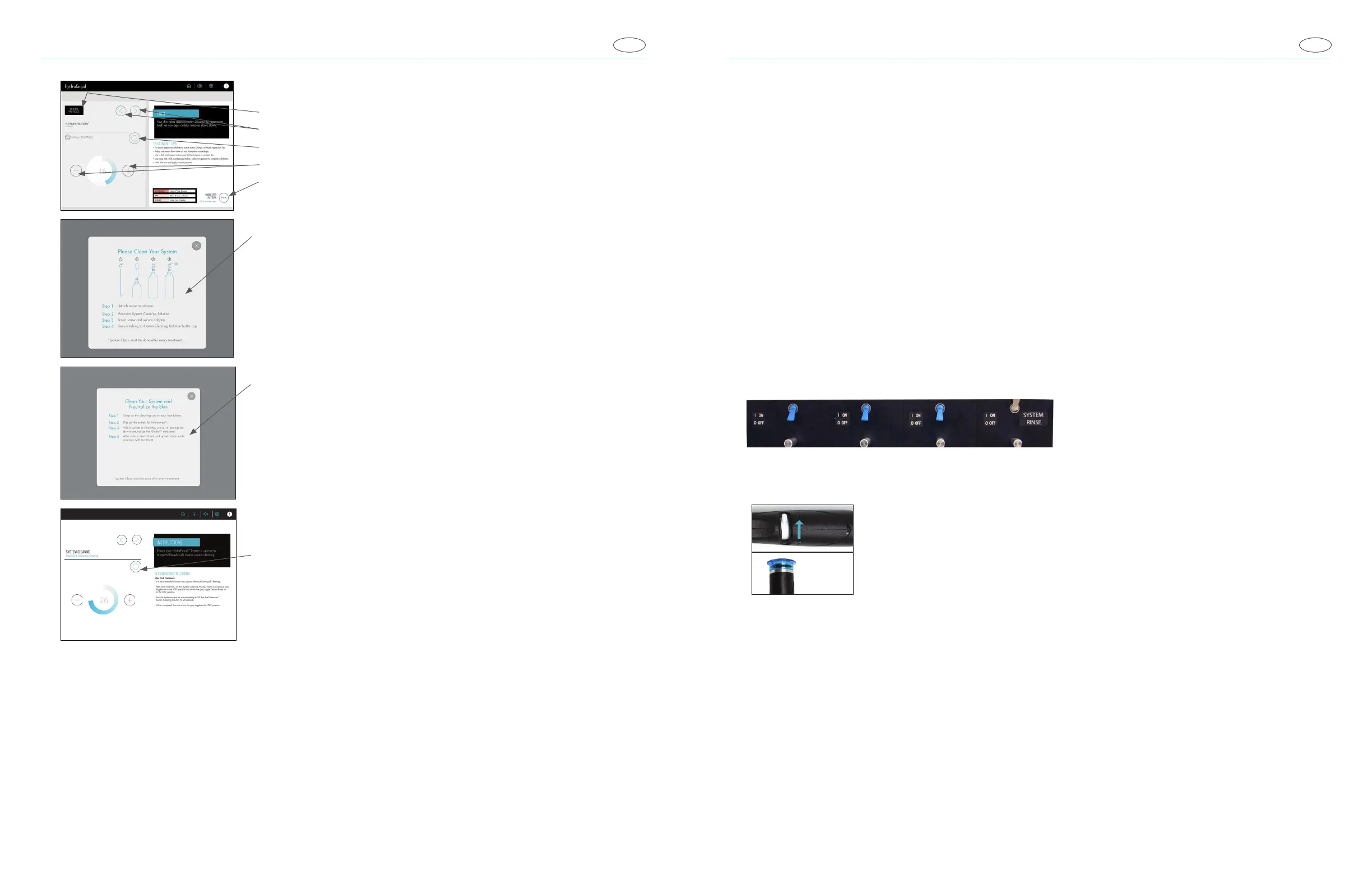
• Protocol Menu
• Next/Previous Step
• Turn On/Off Vacuum
• Adjust Vacuum
• Suggested Patterns
Pop-Up Windows
If you see a pop-up window, follow the on-screen instruction and press the appropriate
button.
Cleaning Your System
In-procedure cleaning: A pop-up window will prompt you to run a quick system-
cleaning. Press the "START" button to begin cleaning.
VACUUM CONTROLS
System Cleaning
Access the System Cleaning page from the Home Page and follow the steps indicated
on the screen. Use the Vacuum Control button to start the cleaning process.
Perform Treatment
Wearing gloves is recommended when performing all treatments.
1. Cleanse customer’s face.
2. Place a tip on handpiece.
3. Turn on the skin solution.
4. Place tip against skin to occlude and dab skin solution on face.
To exfoliate, do overlapping strokes from the center of face outwards.
Make two passes.
Manifold and Tubing
Wearing gloves is recommended when performing all cleaning and maintenance activities.
After Each Service
1. After each procedure, run the “System cleaning process”. Start by switching all the blue toggle switches down to the OFF
position, and switch only the gray toggle switch “SYSTEM RINSE” up to the ON position.
2. Make sure that the Rinseaway
™
System Cleaning Solution is properly installed.
3. Turn the ow control valve all the way over to the “+” sign and attach the cleaning cap to the handpiece.
Cleaning
cap
4. Make sure that the Rinseaway System Cleaning Solution is properly installed. Switch the toggle switch to “ON”.
Note: Only use HydraFacial Rinseaway System Cleaning Solution to properly clean the handpiece.
5. Turn the vacuum on and set to 26. Let the cleaning process run for 20–30 seconds.
6. When completed, be sure to switch the toggle switch to “OFF” and return the ow control to the recommended setting.
Weekly Cleaning
1. Use the Rinseaway solution on each individual skin solution station to prevent/remove any clogging. Follow the above instructions
to clean/ush your System.



 To Next Page