HydraMaster Corporation
Page 3-2: Operating Instructions
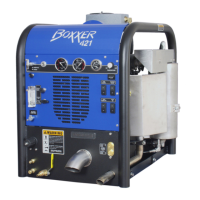
Boxxer 421
10. Set cleaning pressure at desired level.
Suggested Settings
Carpet Cleaning: 300 – 400 psi;
Hard Surface: 1000 psi or as indicated on the tool.
11. Turn the chemical selector valve to the “PRIME” position to purge any
air from the system.
a. With the machine running at operating speed, block off the vacuum
intake to the recovery tank. The vacuum gauge should read between
12"hg and 14"hg. This will assist in priming the chemical system.
b. When the chemical begins to flow through the flowmeter, with the flow
indicator reading maximum flow for at least 30 seconds, turn the chemi
cal selector to “ON”. The restriction can now be removed from the
vacuum inlet.
c. Then, while spraying solution from the cleaning tool, adjust the chemical
flow by turning the chemical adjustment knob as necessary.
12. Commence cleaning.
Upholstery Cleaning
1. Start engine with the THROTTLE switch in “IDLE” position.
Allow the machine to run in idle for 2 - 3 minutes to warm up.
2. Connect hoses.
3. Connect the upholstery tool.
4. Set the THROTTLE to “LOW” or “HIGH”.
5. If used, turn the PUMP IN switch to “ON” (switch light will be illuminated).
6. Turn the PUMP switch to “ON” (switch light will be illuminated).
7. Turn the DIVERTER switch to “ON” (switch light will be illuminated).
During upholstery cleaning if you desire a lower temperature you may
want to leave the DIVERTER switch in the “OFF” position. The engine
exhaust heat exchanger is bypassed, the heat will be obtained from the
engine coolant and blower exhaust heat exchangers.
8. Set the temperature to desired level.


 To Next Page