P/N 42-9450 8/08 Copyright 2008 Hydrotherm
Page 26 KN INSTALLATION AND OPERATION INSTRUCTIONS
Control setup (continued)
8
Recommended settings
e following recommendations should cover most single-boiler applications.
e se ings covered in this manual are SETPOINTS, INDOOR AIR, OUT-
DOOR AIR and SYSTEM CLOCK.
For other se ings and a complete menu tree, consult the KN Control manual for
information.
Adjust SETPOINTS
Setpoint menus
Use the arrow keys until the cursor points at SETPOINTS.
Press the SELECT bu on to enter the SETPOINTS menus. e menu selections
available as you use the arrow keys will be:
LOC SETPOINT (means the local setpoint, or the target temperature of the
boiler supply water; this is sensed by the SUPPLY sensor).
SOURCE (means whether the setpoint temperature is to be controlled at the
boiler or by a remote device leave the default se ing of AUTO unless you
plan to use a remote controller with a 4-20ma output).
DHW SETPOINT (means the supply temperature the boiler will target when
operating on a call for DHW heating; this uses the same sensor as the local
setpoint).
OP LIMIT (means the operating limit temperature of the boiler).
LIMIT BAND (this is the di erential for the limit function).
Set the local setpoint (LOC SETPT)
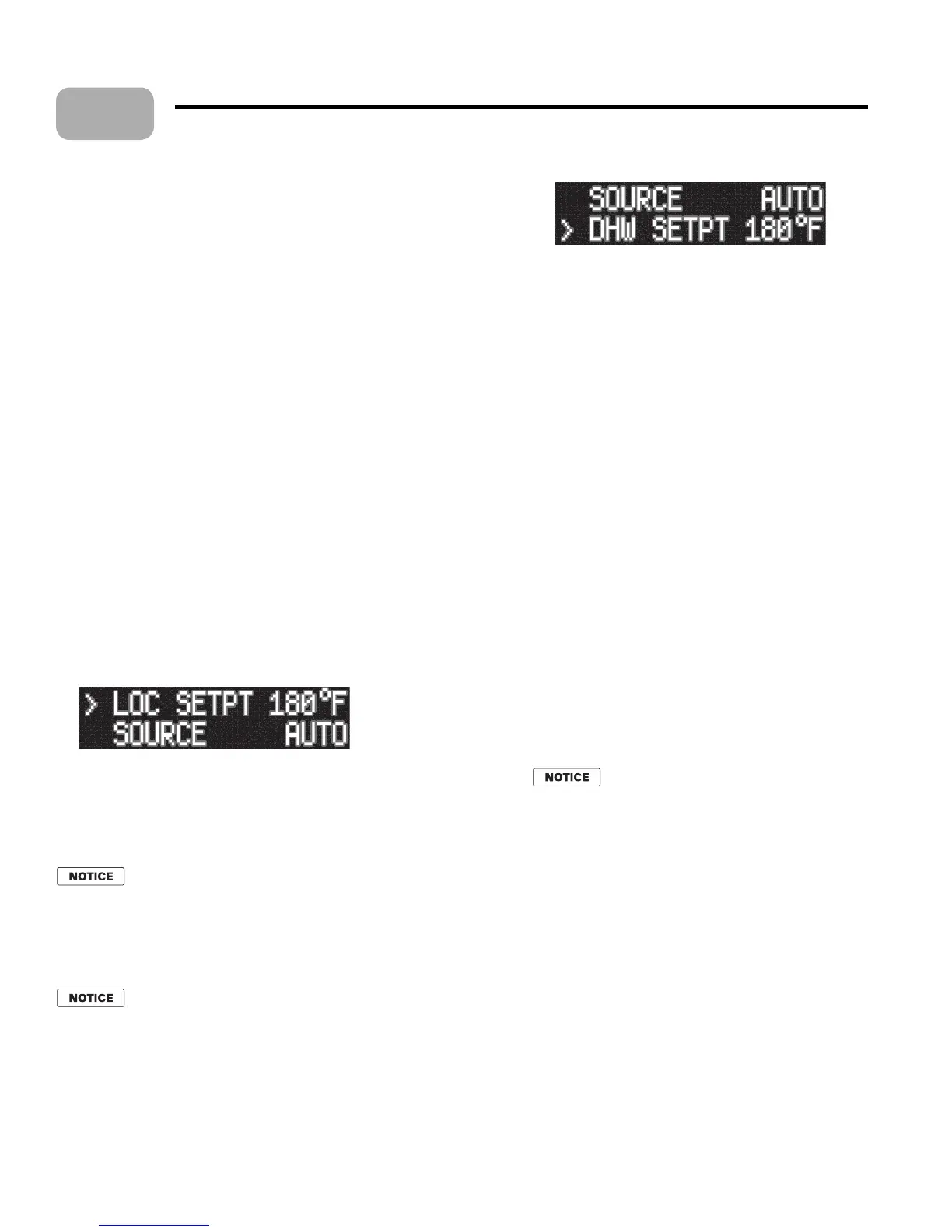
Use the arrow keys until the cursor points at LOC SETPT. e display will show:
2. e cursor must be pointing at LOC SETPT. e value shown may vary if the
control has been adjusted before.
3. Press the SELECT bu on to change the local setpoint value.
4. e cursor will move to the temperature number.
5. Use the arrow keys to increase or decrease the temperature to the desired se ing.
If you hold down the arrow key the numbers will change faster a er a
brief waiting period.
6. When the se ing is correct, press the SELECT key to accept. en press the BACK
key to leave the local setpoint adjustment.
7. e local setpoint should be set at the design water temperature for the heating
units (typically 180°F for nned-tube baseboard, for example).
e setpoint must never be higher than the OP LIMIT se ing minus
the LIMIT BAND minus half of the HEAT BAND se ing. is would
cause the boiler to hit limit while trying to modulate.
Example: If LIMIT BAND is 20°F, OP LIMIT is 215°F, and HEAT
BAND is 30°F, the local setpoint must never be higher than 215 - 20
- 30/2 = 180°F.
Set the DHW setpoint (DHW SETPT)
Skip this procedure if the boiler is not used for DHW heating.
Use the arrow keys until the cursor is at DHW SETPT. e display will be:
1.
2.
3.
1.
2.
•
•
•
•
•
1.
1.
2.
3. With the cursor on DHW SETPT, press the SELECT key
to change the value, using the same procedure as with the
LOC SETPT adjustment.
4. e DHW setpoint should usually be 190°F. To obtain
this setpoint, you will also have to increase the OP LIMIT
se ing to 225 or 230°F so the boiler won’t prematurely
cycle on the limit function.
5. When the DHW se ing is complete, press SELECT and
BACK to return to the setpoint menus.
Set OP LIMIT (operating limit)
Use the same procedure as on the previous se ings to
change the operating limit temperature.
Use the arrow keys to select OP LIMIT, then press
SELECT.
If the boiler setpoint is to be higher than 180°F, you will
need to increase OP LIMIT. e maximum se ing for OP
LIMIT is 230°F. So the maximum allowable boiler setpoint
is generally 190°F.
Once the se ing is correct, press SELECT, then BACK to
return to the setpoint menus.
The LIMIT BAND
Do not change the LIMIT BAND se ing unless speci c
application demands require a change or when directed by
the factory.
Return to main menus
When the setpoints have all been adjusted as
desired, press the BACK key until you return to
SETPOINTS.
INDOOR AIR
General
Use the indoor air reset option whenever possible. e
indoor air technology monitors space heating demand to
help the boiler operate at the highest possible e ciency
throughout the season.
To apply indoor reset you must wire the IAR inputs and the
HEAT DEMAND terminals as described in Section 7.
Enable or disable IAR
e only se ing for indoor air reset that you will need to
make is to enable the function.
Use the arrow keys until the cursor points to
INDOOR
AIR
.
Press SELECT to enter the indoor air menus.
e display will show:
1.
2.
3.
4.
1.
•
•
1.
2.
3.
4.



 To Next Page