hydrow.com | 1716 | Hydrow Wave User Guide | 01/2023
Strap in
Always wear athletic footwear when using your Hydrow Wave, and ensure your
shoes are tied without laces dangling past the soles of your shoes.
Never use your Hydrow Wave without strapping your feet securely into the footrests
unless explicitly instructed during a workout.
1. Slide your feet into the footrests, noticing where the foot strap crosses your foot.
2. Remove your foot and move the footrests up or down so the foot straps go over
the balls of your feet or the bottom laces on your shoes. The straps should rest
just above the widest part of the foot.
3. Reinsert your foot and pull the straps on each footrest to secure them. They
should be snug, but not tight enough to squeeze your foot.
Get rowing
1. Tap Row on the Home screen to begin.
2. Tap the Settings icon to adjust the audio mix, your connected devices, and drag.
• Drag defaults to 104 to mimic the natural resistance of water. All tests were
performed at 104.
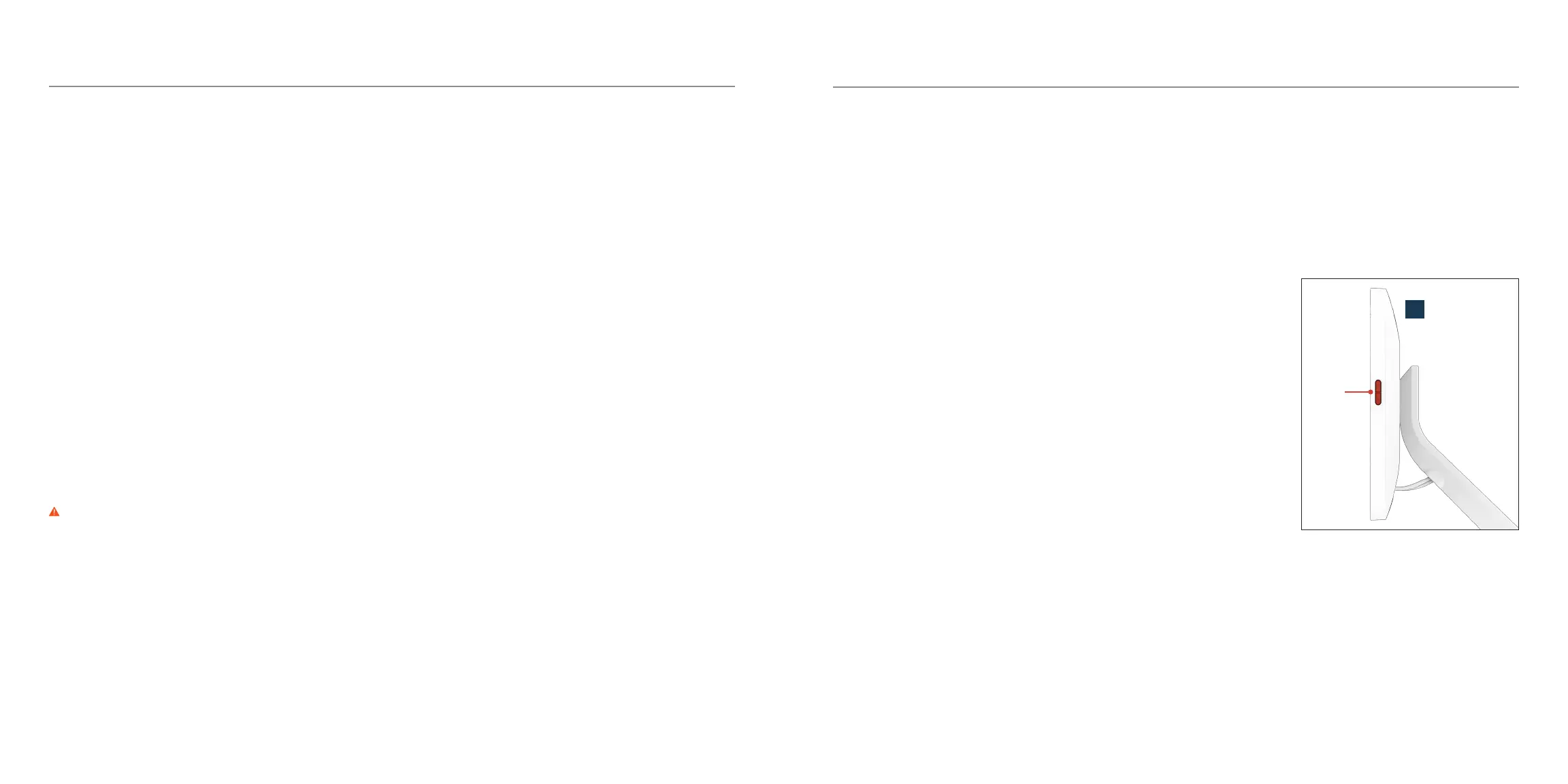
3. Adjust the overall volume with the physical buttons on the right side of the monitor (G).
Connect to the internet
1. Follow the on-screen instructions to connect your Hydrow Wave to Wi-Fi.
• 10+ mbps Wi-Fi is recommended when using your Hydrow Wave.
• If you have trouble connecting to the internet, please see our troubleshooting
guides at hydrow.com/support.
• Alternatively, you can connect an Ethernet cable to the Ethernet port on the back
of your Hydrow Wave’s monitor (G) and then to your Ethernet jack or router.
2. Wait while your Hydrow Wave automatically installs the latest software updates.
Log in
Configure your profile and membership:
Log in with your Hydrow screen name and password, or follow the on-screen prompts
to create a new Hydrow profile.
Follow the on-screen prompts to configure your Hydrow membership.
Watch the Hydrow tutorial videos
Proper form is essential to maximizing workouts and preventing injury. Please watch
all tutorials before using your Hydrow Wave. They are available on the Help tab on
your Hydrow Wave, or at hydrow.com/hydrow101. We also oer virtual Personal
Coaching sessions at hydrow.com/personal-coaching/.
WARNING Do not use Hydrow Wave without watching the Hydrow 101 tutorials.
Improper use due to failure to comply with tutorial video instructions may result in
damage or injury.
Operating Instructions
G
volume
buttons


 To Next Page