hydrow.com | 98 | Hydrow Wave User Guide | 01/2023
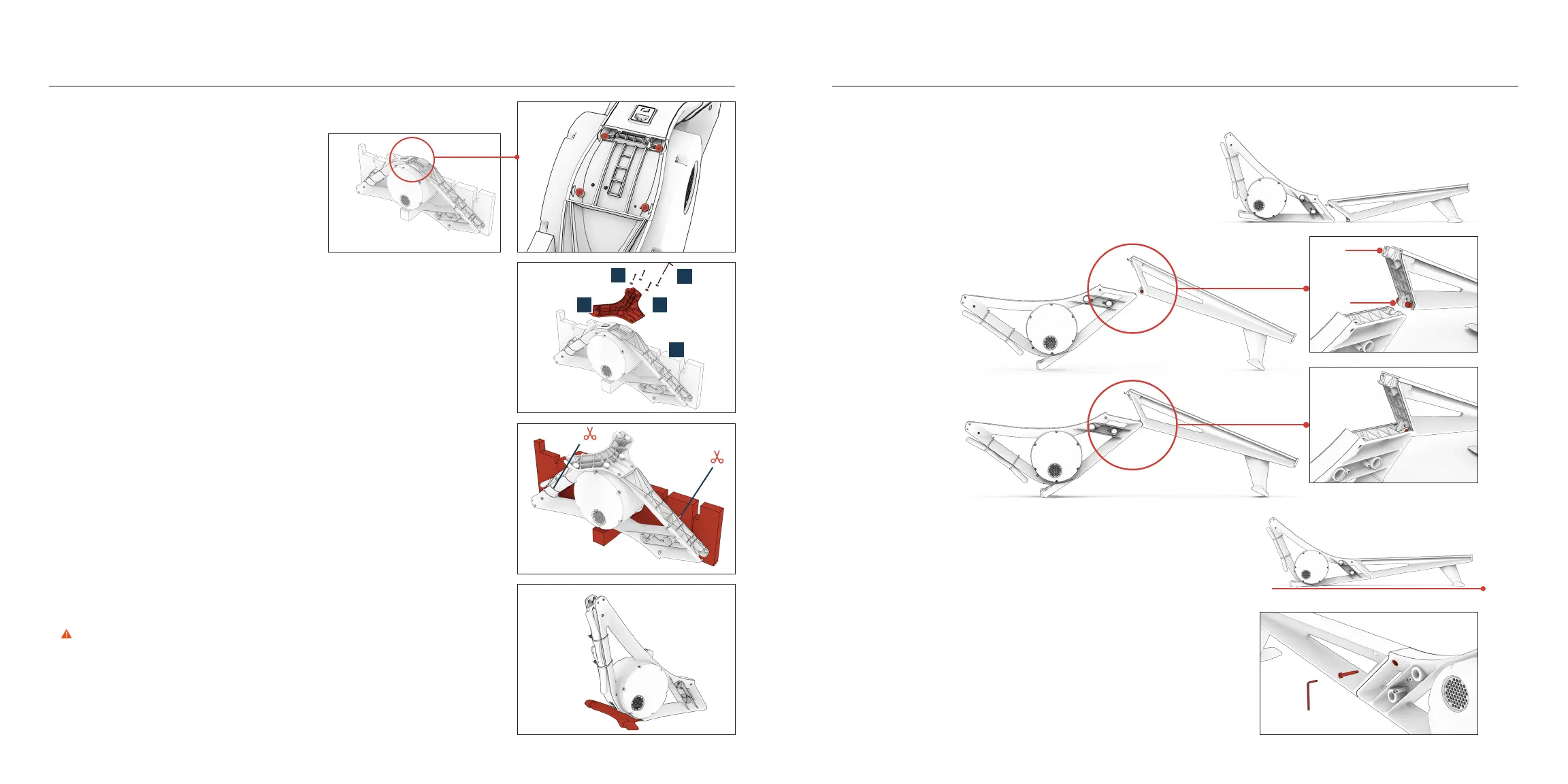
Connect the frames
1. Line up the frames (A, B) with the feet facing away from each other.
2. Lift the inner ends of the frames (A, B) and slide the bottom of the front
frame (A) over the silver pin in the bottom of the rear frame (B).
3. Slowly lower the front frame (A) and rear frame (B) together until the hook
at the top of the rear frame (B) settles in place.
• It might take a few tries to get the alignment right.
• When done correctly, only the front foot (C) and rear foot should touch
the floor.
4. Use the hex key (I) to secure the frames with the frame bolt (L).
hook
pin
Attach the front foot
1. With the front frame (A) still in the cardboard stand,
remove plastic as necessary until you can see
the bolt holes on the front frame (A).
2. Position the front foot (C) on the front frame (A) so that the bolt holes
are aligned.
3. Use the hex key (I) to secure the front foot (C) to the front frame (A) with
the front foot bolts (K) and washers (J).
• You may have to use the long side of the hex key (I) to secure the
bolts (K).
4. Carefully cut the cable ties (do NOT cut the handle strap) and remove the
cardboard stand from the front frame (A).
5. Turn the front frame (A) over so that the front foot (C) sits flat on the floor.
WARNING The front frame (A) is heavy and bulky. Take care when lifting.
Assembly and Setup
I
K
J
A
C


 To Next Page