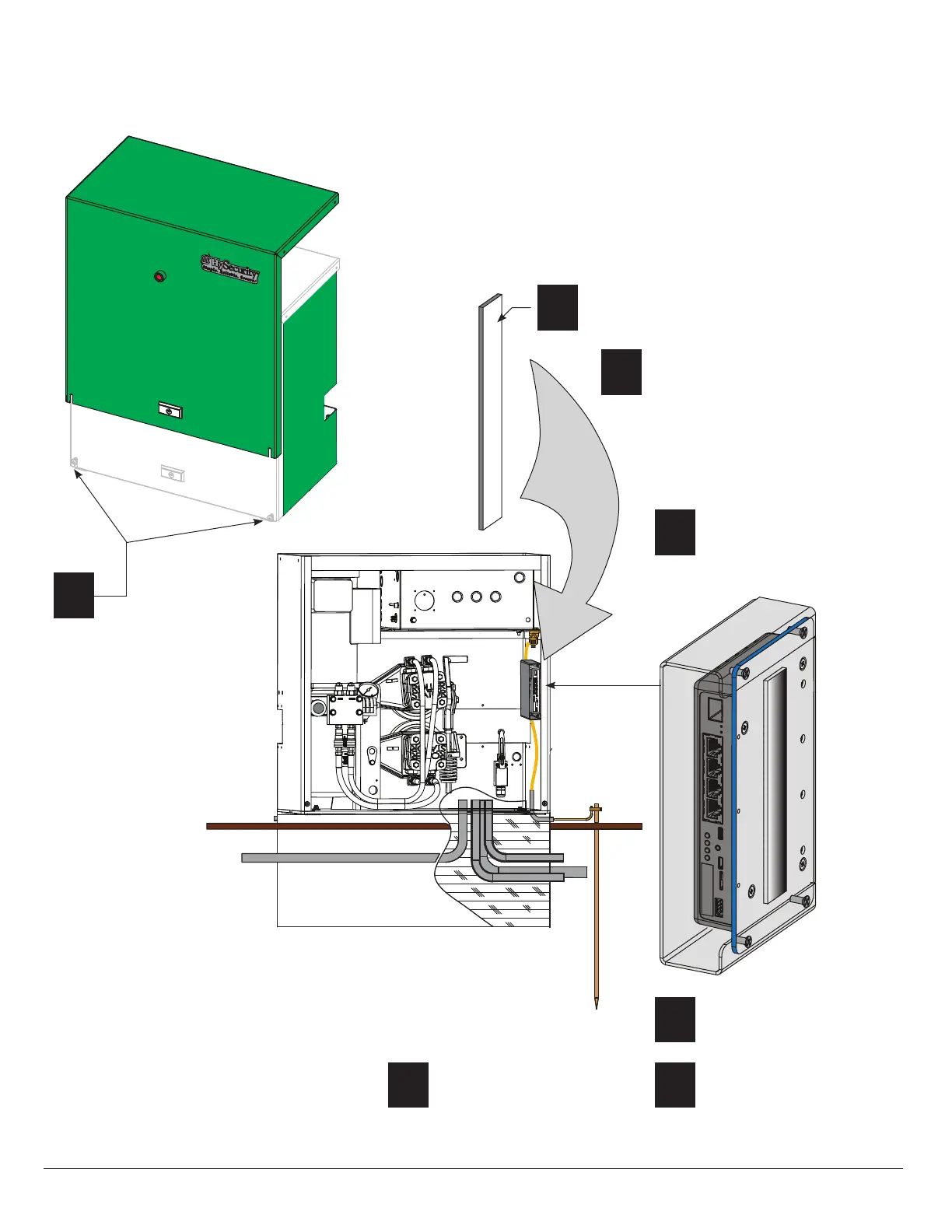
Mount HyNet Assembly to SlideDriver
Loosen two base screws and
lift SlideDriver chassis cover.
Set it aside.
1
2
Peel protective paper off
Velcro
®
strip.
3
Adhere the Velcro
®
strip to the inside
portion of the SlideDriver chassis.
Press rmly.
NOTE: Recommended HyNet
location is shown in the illustration.
Ambient temperature for adhesion is
between 45˚ and 85˚ F.
4
Set the HyNet onto the
chassis so the ports are
accessible as shown in the
illustration.
5
Press rmly to engage the
Velcro
®
loops and hooks.
6
Connect wiring.
See page 6.
7
Replace SlideDriver chassis
cover and secure gate
operator.
Tools Required
• Phillips head screwdriver
www.SecureOpeners.com | (800) 878-7829 | Sales@SecureOpeners.com











 To Next Page