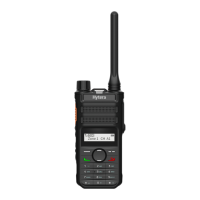
Radio Overview
PTT (Push-to-Talk) Key
Press and hold down the PTT key to transmit, and release it to receive.
SK (Side Key)
Side Key is a programmable key that can be assigned with long/short press
functions by your dealer.
Note: Short Press: Key press shorter than 1 second.
Long Press: Key press longer than 1 second.
Status Indicator
Status Status Indication and Alert Tone
Power on (to enter 1.When the radio is turned on, the power on alert tone
usermode) soundsandStatusIndicatorashesorangeonce.
2.When the current channel is a blank channel,
the radio sounds beep tone continuously.
Power off When the radio is turned off, the power off alert is heard.
Lowbatteryalert StatusIndicatorashesred,andalow-pitchedtone
sounds at intervals of 10 seconds.
Transmitting 1.Status Indicator glows red when transmitting.
2.When TOT timer expires, the radio sounds beep tone
continuously.
3.TOT pre-alert: A beep is heard.
Receiving Status Indicator glows green when carrier is present.
Scanning 1.StatusIndicatorashesgreenonceevery1second,
while scanning is in process.
2.Scan Start Alert Tone (programmable by your dealer):
A beep is heard.
Status indications and alert tones are shown in the table below:
4



 To Next Page
 Loading...