8
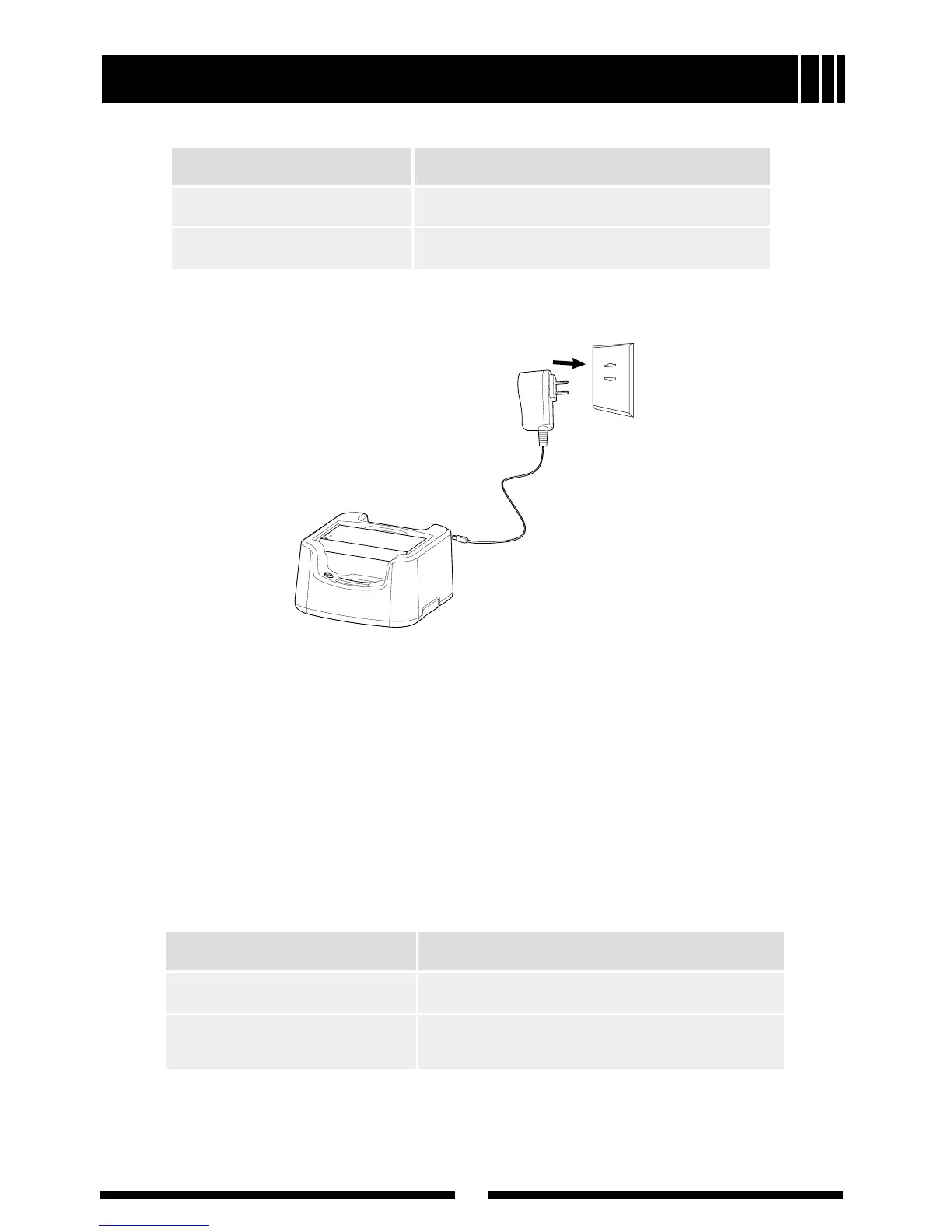
Please follow these steps to charge a battery using the desktop charger:
1. Plug the AC connector of the switching power into the AC outlet socket.
2. Plug the Mini USB connector of the switching power into the Mini USB jack
of the charger. Indicator of the charger glows green.
3. Place the battery in the charger.
4. Make sure the battery is connected to the charger. The charging process
initiates when the charger indicator glows orange.
5. The charger indicator glows green when the battery is fully charged.
Please remove the battery then.
Status Charge Indicator of the Radio
Battery is charging. Charge Indicator solidly glows red.
Battery is fully charged. Charge Indicator solidly glows green.
Battery Information
Status Charge Indicator
Battery is charging. Charger Indicator solidly glows orange.
Battery is fully charged. Charger Indicator solidly glows green.



 To Next Page
 Loading...