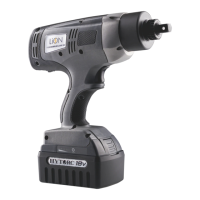
LITHIUM SERIES® II ELECTRIC TORQUE TOOL ICON REFERENCE GUIDE
3
Select
1. 选择
2. 選択
3. Wählen
4. Selezionare
5. Sélectionner
6. Seleccionar
On menu screens, the Select icon
appears in the lower center box, guiding
the user to push the center button to
select the highlighted menu option.
Back
1. 返回
2. 戻る
3. Zurück
4. Indietro
5. Retour
6. Regresar
The Back icon is displayed near the
bottom of most sub-menus to allow the
user to move back one level in the menu
structure.
Home
1. 主页
2. ホーム
3. Home
4. Menu
5. Accueil
6. Inicio
The Home icon is displayed at the bottom
of most menus and sub-menus to allow
the user to return directly to the Home
Screen.
Scroll Down
1. 向下滚动
2. スクロールダウン
3. Nach unten scrollen
4. Scorrere In Basso
5. Défiler vers le bas
6. Abajo
On menu screens, the Down-Arrow
guides the user to push the right button
to scroll down the menu.
Scroll Up
1. 向上滚动
2. スクロール上
3. Nach oben scrollen
4. Scorrere
5. Défiler vers le haut
6. Desplazarse hacia arriba
On menu screens, the Up-Arrow guides
the user to push the left button to scroll
up the menu.
ICON MEANING DESCRIPTION
. MENU NAVIGATION. MENU NAVIGATION


 To Next Page
 Loading...