50
51
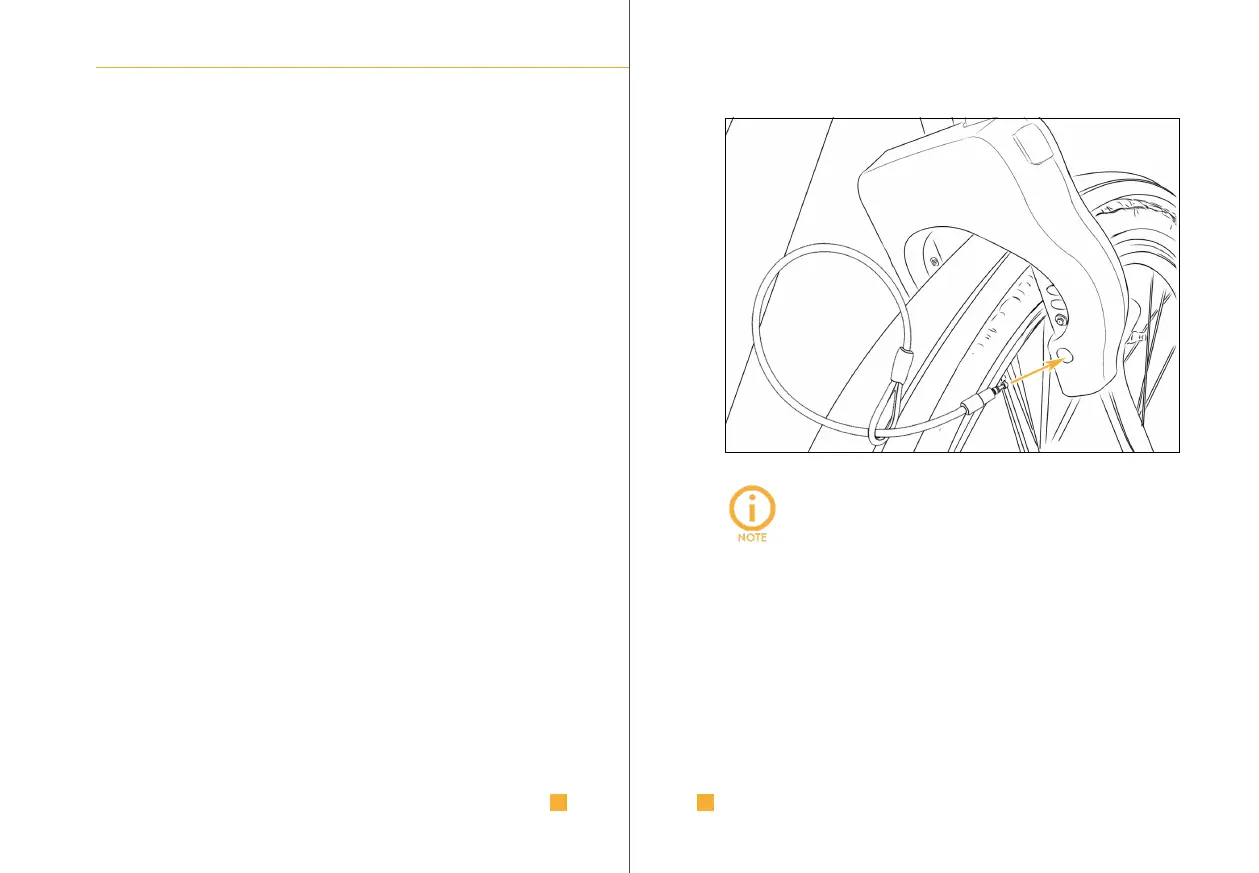
4.2. I LOCK IT PLUG-IN CABLE | CHAIN
The plug-in cable and the plug-in chain allow additional locking
of your bike with a solid object.
Do the following steps:
I. Place the cable | chain around a solid object
(e.g. a bicycle stand).
II. Insert the plug-in cable | chain end through the loop on the
other end.
III. Pull the cable | chain through the loop to reduce the size of
the loop.
IV. Insert the plug into the provided hole of your unlocked
I LOCK IT GPS and make sure it is firmly seated.
Once your I LOCK IT GPS locks, the plug-in cable | chain is
locked with the locking bolt and cannot be removed.
ACCESSORIES
• The best way to close I LOCK IT GPS is by pressing
the button to check that the plug is firmly closed.
• The rubber rings on the plug ensure that it will
not fall out of your I LOCK IT GPS even after
automatic unlocking.
• Plugging the cable | the chain into a locked
I LOCK IT GPS is not possible.
ACCESSORIES



 To Next Page