19
Saving Audio Files > Loading from a music CD
6
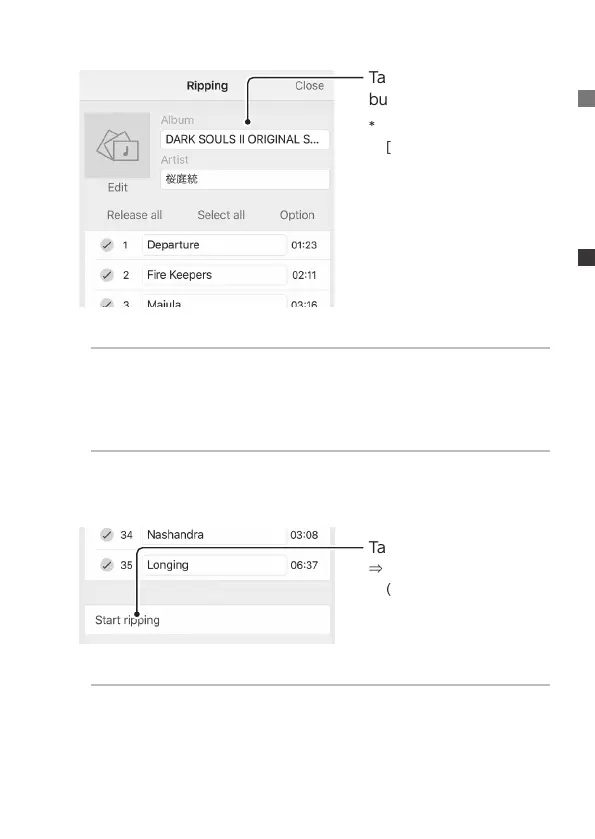
Tap Conrm or Edit “Al-
bum”, “Artist”, “Artwork”
* To edit artwork, tap
[Edit] below it.
Select the format of the music to be imported
Save as either wav format or FLAC format (wav is the default
format).
Tap [Option], and select “Format”.
How to rip only a portion of the music
After tapping [Release all], check only the music you want to
rip.
7
Tap [Start ripping]
⇒
Music CD importing
(ripping) begins.
There is no problem if the screen closes during ripping
The ripping process will be continued by Soundgenic.


 To Next Page