29
Saving Audio Files > Conrming free space
Conrming free space
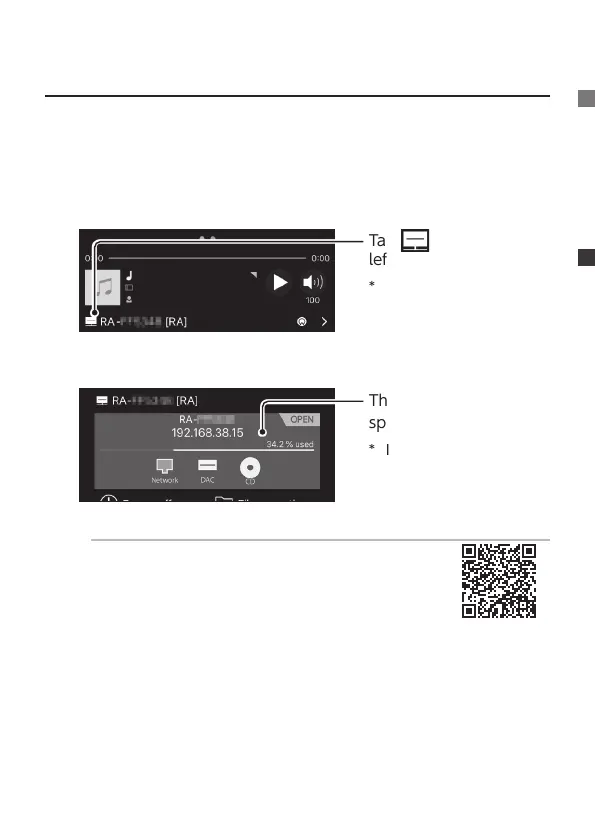
Conrm the amount of free space available within Soundgenic.
1
Launch data Music App
2
Tap on the lower
left
* When not displayed
on the lower left, ick
the screen to switch
screens.
3
The amount of free
space is displayed.
* If the information is
not displayed, tap [RA]
under the gray.
Deleting music in Soundgenic
Music can be deleted using the data Music App
le operation.
For more information, please see the Detailed
Guide.
The free space in Soundgenic was conrmed with this operation.


 To Next Page