28
Saving Audio Files > Saving Audio Files from a macOS
3
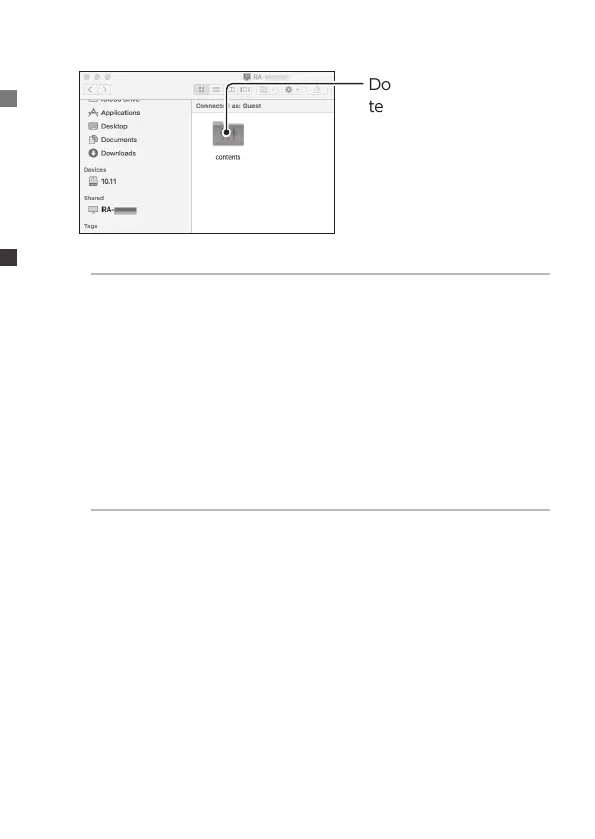
Double click the [con-
tents] folder.
About folders other than the [contents] folder
●
usb1
Music within the USB HDD used for sharing.
Specically for loading music to be saved. Connect the USB
HDD to the Mac and add and delete music.
●
bkup
Music within the USB HDD used for backup.
4
Save audio les.
Save audio les in the [contents] folder.
About folders within the [contents] folder
●
CD Library
Saves music ripped from music CDs.
(Created when the CD ripping function is used.)
●
import
Saves music imported from a USB HDD or other source.
(Created when music is imported from a USB HDD or other
source.)
●
uploaded
Saves music uploaded to Soundgenic by operating another
DLNA device.
Your music is now in Soundgenic.


 To Next Page