38
Backing up music
This registers the USB HDD for backup.
Music will now be backed up simply by connecting to this USB
HDD (for backup).
Remove the USB HDD
Do not remove the USB HDD until after the power supply to
Soundgenic has been turned off.
To back up music, avoid connecting the USB HDD (for backup)
sporadically. The difference shall be backed up.
For information about how to remove the USB
HDD while the power to Soundgenic is on, see
the Detailed Manual.
Be sure to occasionally organize backed up music.
Repeatedly adding and deleting music will strain the capacity
of the USB HDD (for backup).
Please refer to “Deleting music les” in the Detailed Guide and
delete unnecessary music from inside the “bkup” folder.
If the USB HDD (for backup) becomes full, the indicator will be
lit red and you will be unable to perform backup.
Restoring music from the USB HDD (for backup)
1
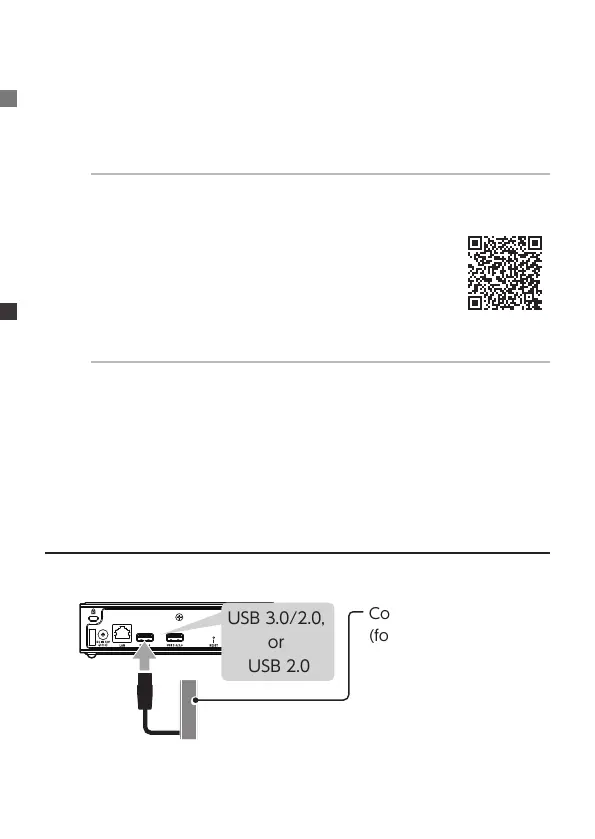
USB 3.0/2.0,
or
USB 2.0
Connect the USB HDD
(for backup)


 To Next Page