23
Saving Audio Files > Importing from a USB flash drive or USB HDD
4
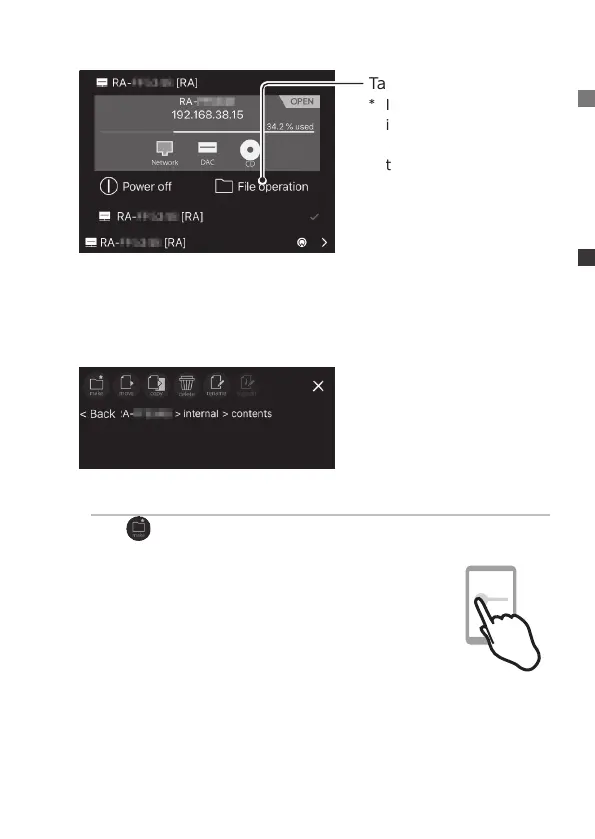
Tap [File operation]
* If there is no
information in the gray
area, tap [RA] under
the gray.
5
Display the location you wish to save the music
* The music is put in the “contents” folder. We recommend creating a
save folder inside of the contents folder for organization.
Making a save folder
Tap (make).
6
Swipe the screen to display another one-side
pane (display pane)
* For tablets, 2 panes are displayed, so this process is
unnecessary.


 To Next Page