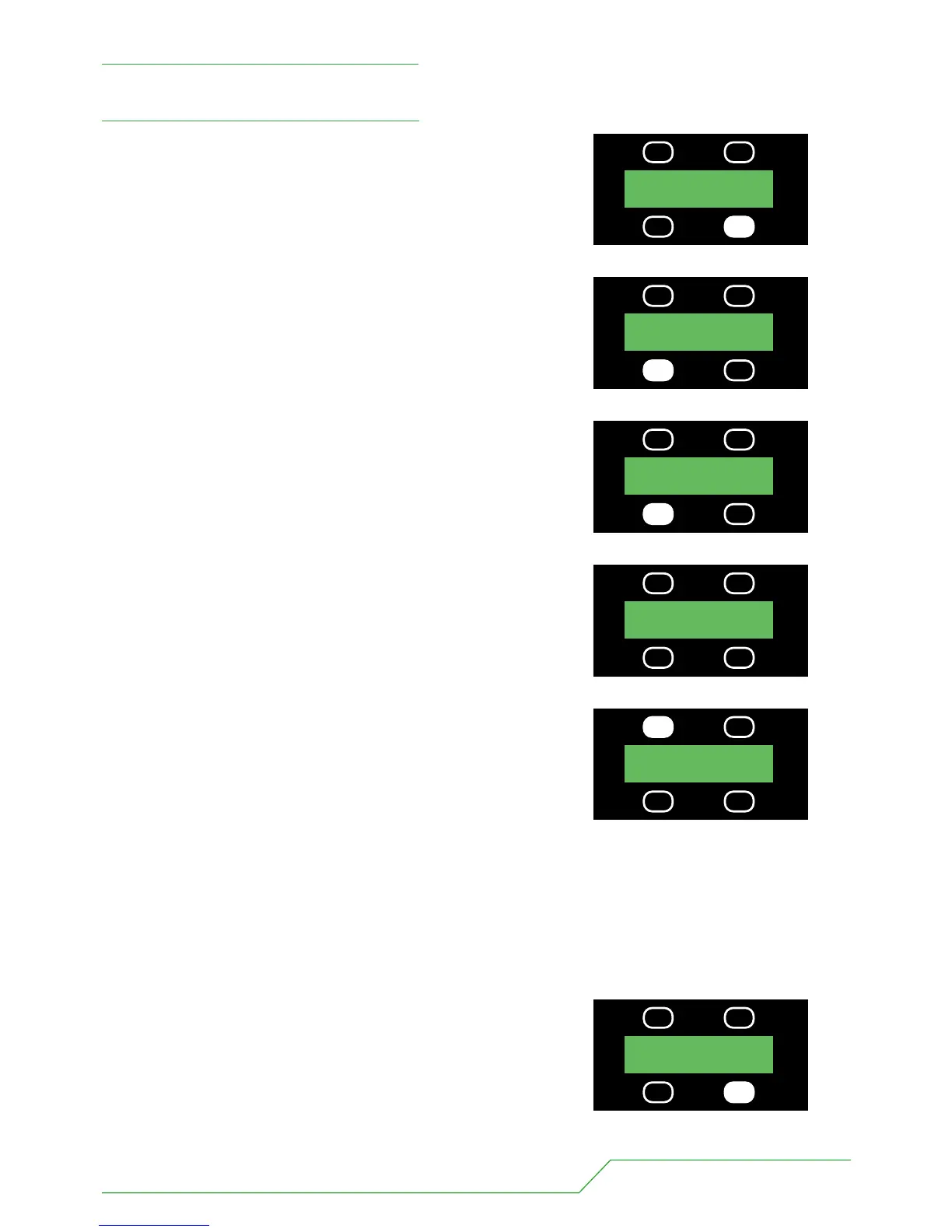
1 Press the button underneath the MORE legend once.
2 Then press the button underneath the MAN (manual) legend once.
3 Then press the button underneath the USE MEM
(use memory) legend.
Now you will be offered the first memory MEM 01.
This will come on automatically.
4 To select any other memory simply use the UP, DOWN buttons
until you find the memory you want.
The memories will come on as you select them.
“If you leave a memory up when the light is powered down the
memory will resume as soon as the light is powered back up again”
To return to the main menu press the DMX MODE button.
To Recall A Memory
UP MEM 01
DOWN STORE
BB7 USERS MANUAL - PAGE 17
UP MEM 02
DOWN DMX MODE
PRESS
USE MEM PROG MEM
PRESS
UP MEM 01
DOWN DMX MODE
PRESS
CURV-LIN CHASE
MAN STORE
PRESS
MODE 3 5CH MORE
ADDR 001
PRESS


 To Next Page