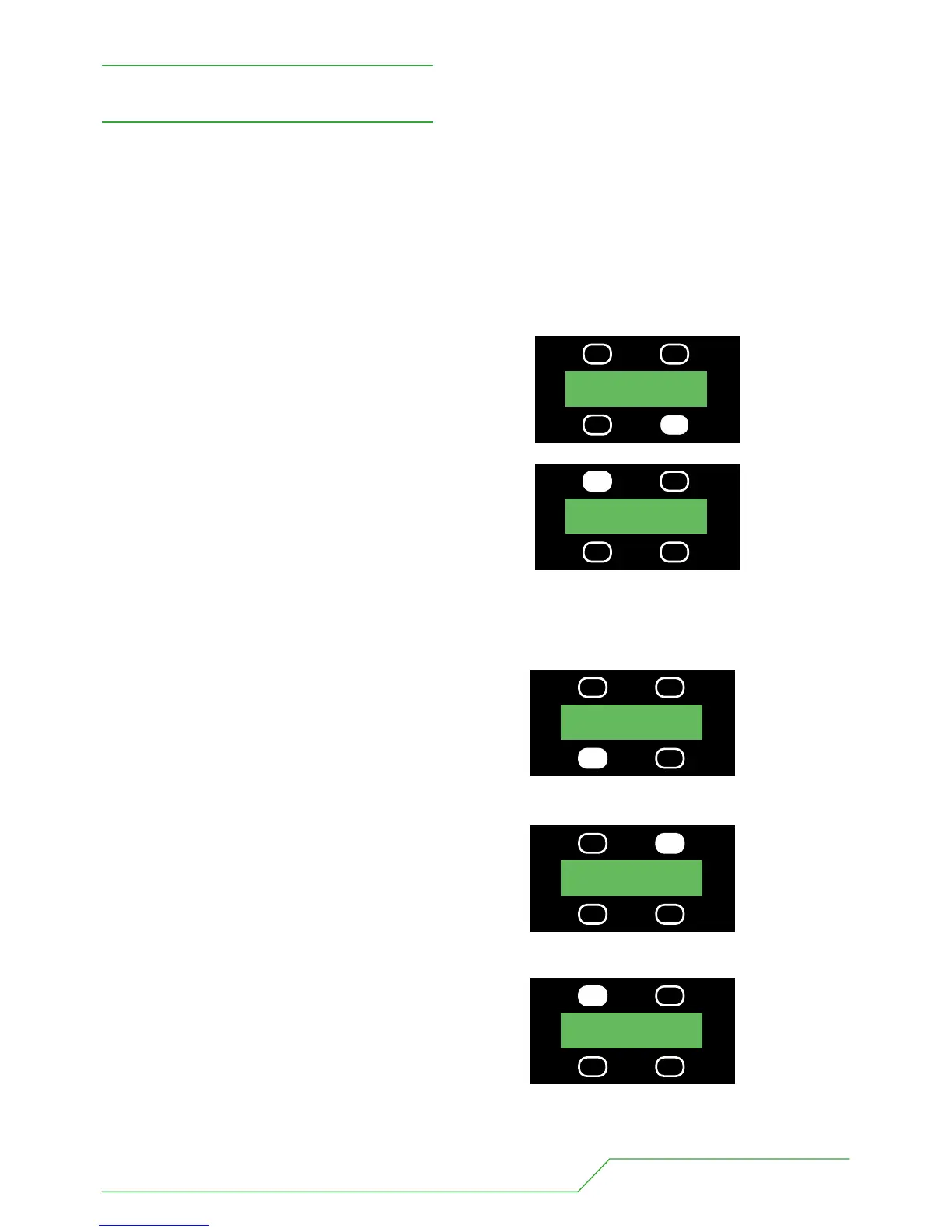
1. Select appropriate dimmer curve
The BB7 offers a choice of two dimmer curves.
1 LINEAR - the output increases directly with dmx input.
2 ENHANCED - the first 10% of the output is controlled over the first 50% of the DMX input.
First press the button under the MORE legend.
Then select the appropriate dimmer curve.
2. Select appropriate mode
The BB7 offers a choice of ten operating modes. All of which are described in detail over.
To select a mode
Keep the button below the MODE legend depressed
and go through the modes.
Stop just before your desired one, then press once.
3. Select appropriate address
First press the button above the ADDR legend.
Then change the address using the 100s,10s & 1s buttons.
BB7 USERS MANUAL - PAGE 7
SET UP
ADDR 001
MODE 3 5CH MORE
PRESS
CURV-LIN CHASE
MAN STORE
PRESS
ADDR 001
MODE 1 3CH MORE
PRESS
ADDR 111
MODE 1 3CH MORE
PRESS
100s ADDR 011
10s 1s
PRESS


 To Next Page