16
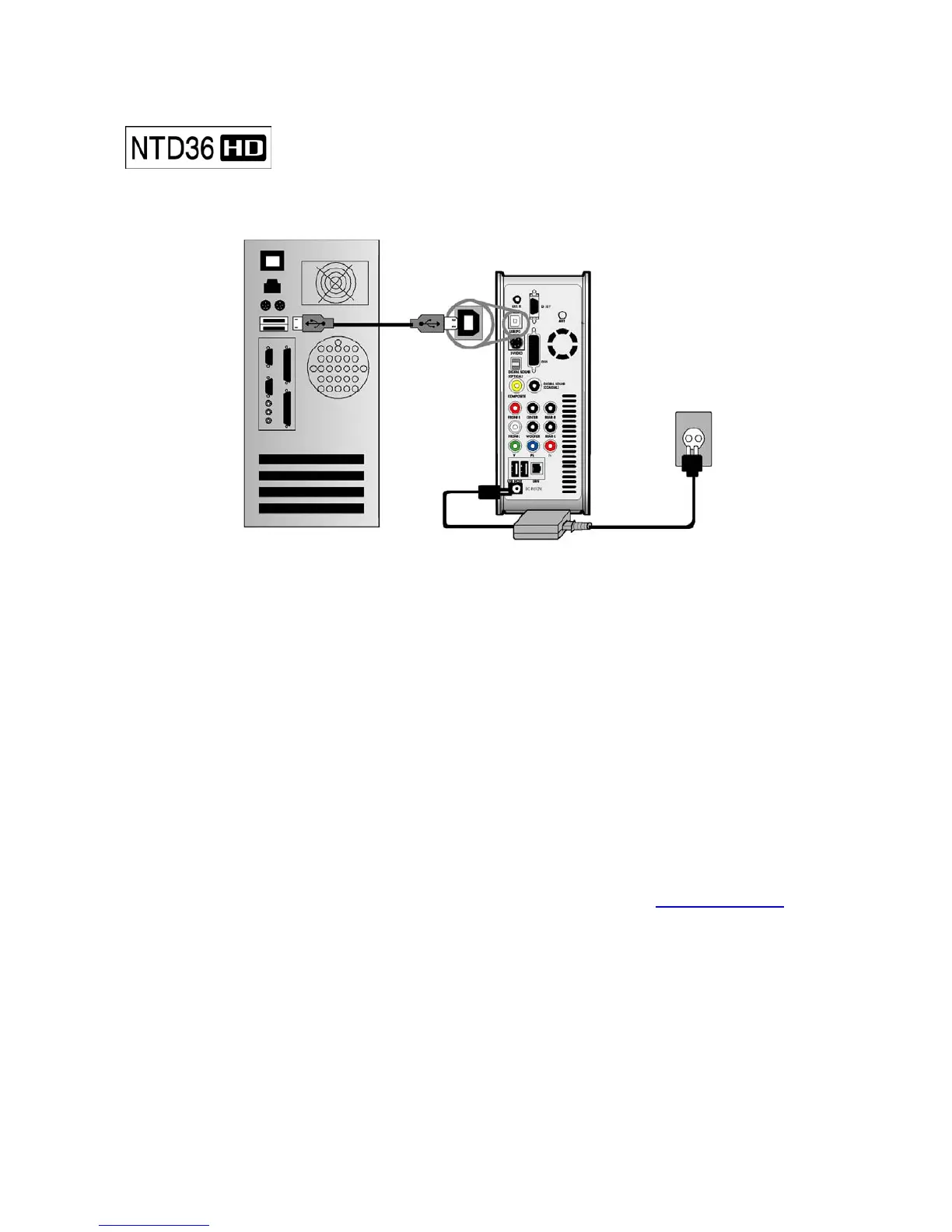
To copy files in your PC to NTD36HD, follow below procedure.
For Windows ME/ 2000/XP Users
1. Power on your PC system.
2. Connect NTD36HD to your PC with USB Cable. Connect AC adapter to NTD36HD. And power it
on.
3. Wait until your PC recognizes NTD36HD as USB mass storage.
4. Check whether NTD36HD is properly recognized as USB mass storage by clicking and opening
“My Computer” on Windows.
For Windows 98SE Users
1. Before connecting NTD36HD to your PC, you need to install Driver for Windows 98SE to your
PC. You may download the Driver for Windows 98SE from our website(
www.iamm.co.kr)
2. After downloading it, unzip it and run the file(NTD36HD_98setup)
3. Connect NTD36HD to your PC with USB cable. And connect AC adapter to NTD36HD and
power it on. Wait until your PC recognizes NTD36HD as USB mass storage.
4. Check whether NTD36HD is properly recognized as USB mass storage by clicking and
opening “My Computer” on Windows.
Connecting with PC



 To Next Page