7
TV OUT set-up and change
TV Standard for each country
Korea, North America Europe and else
NTSC PAL
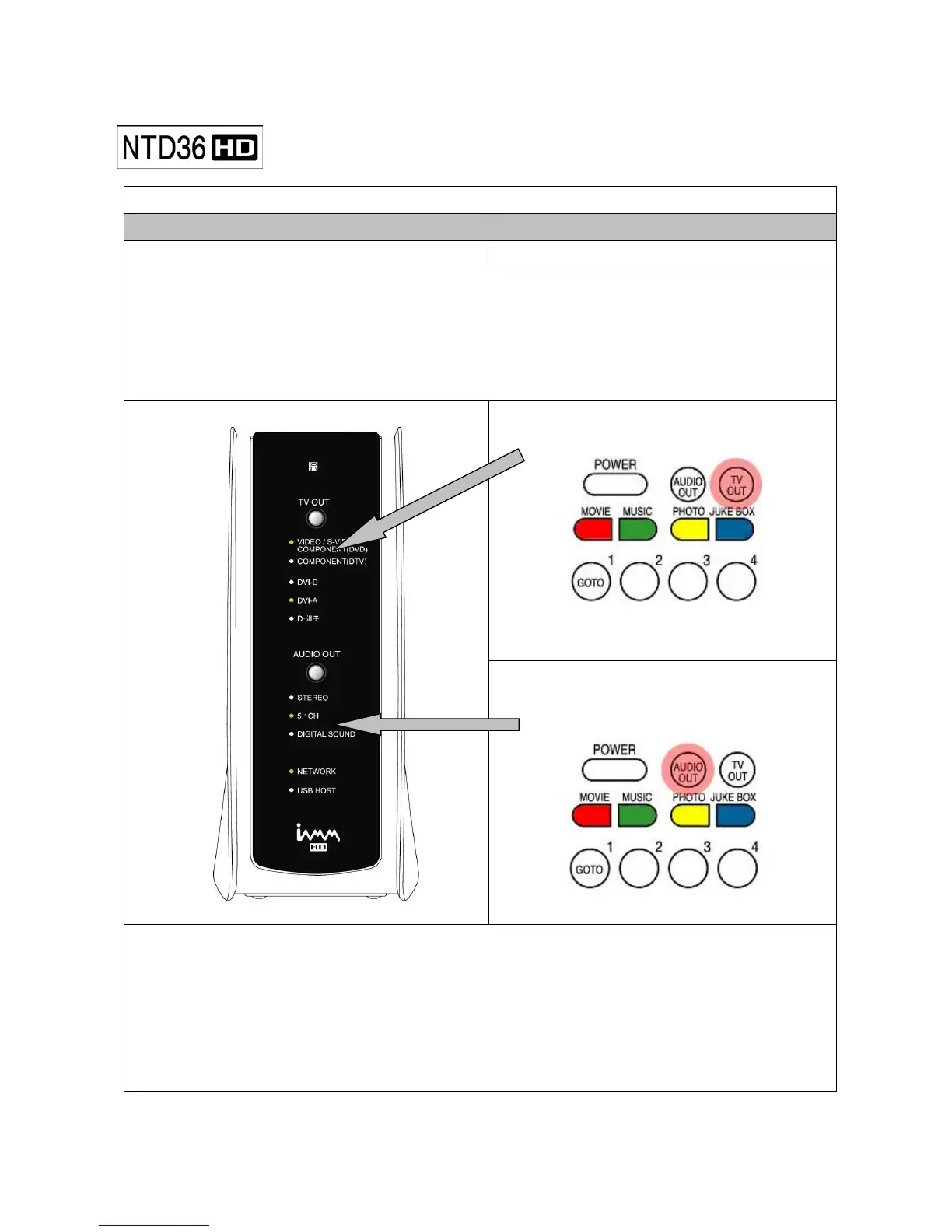
※ TV out mode is originally set as PAL/Composite
※ If you want to change TV out mode, you can use TV OUT button of remote controller or TV OUT button
of the front side of NTD36HD set.
※ LED light of the front side of NTD36HD moves to corresponding position when you press TV OUT button
with 2~3sec time interval.
TV OUT button for changing TV Out mode
LED of NTD36HD Front
AUDIO OUT button for changing
AUDIO Out mode
Reference
※ Each pressing TV OUT button : PAL(Composite)480p(Component)576p(Component)
480p DVI-D 576p DVI-D DVI-A VGA 800x600 60Hz NTSC(Composite)
※ You can change and select more subdivided TV out mode in SET UP menu
※ In case of no display on TV screen, try pressing TV OUT button several times to fit TV OUT mode
※ AUDIO OUT button does not work while movie is playing.



 To Next Page