20
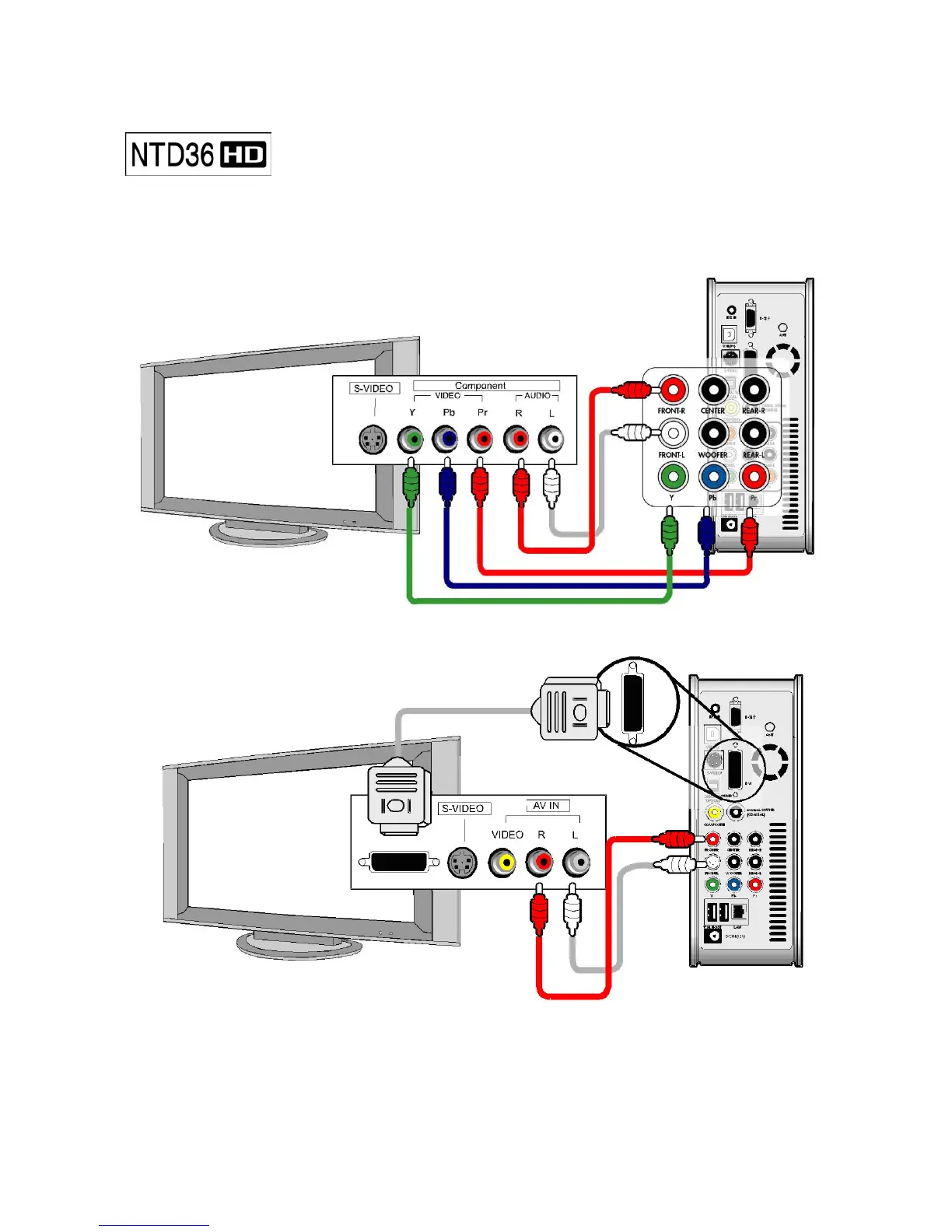
When connecting HDTV or other high quality displaying devices,
connect like below picture..
Connecting with Component cable
Connecting with DVI cable
• For safety, connect cables after power off NTD36HD, TV and audio system.
• You have to purchase DVI cable and other genders by yourselves from shop
Connecting with Component cable
or DVI connector



 To Next Page