28
VIDEO Setting Change
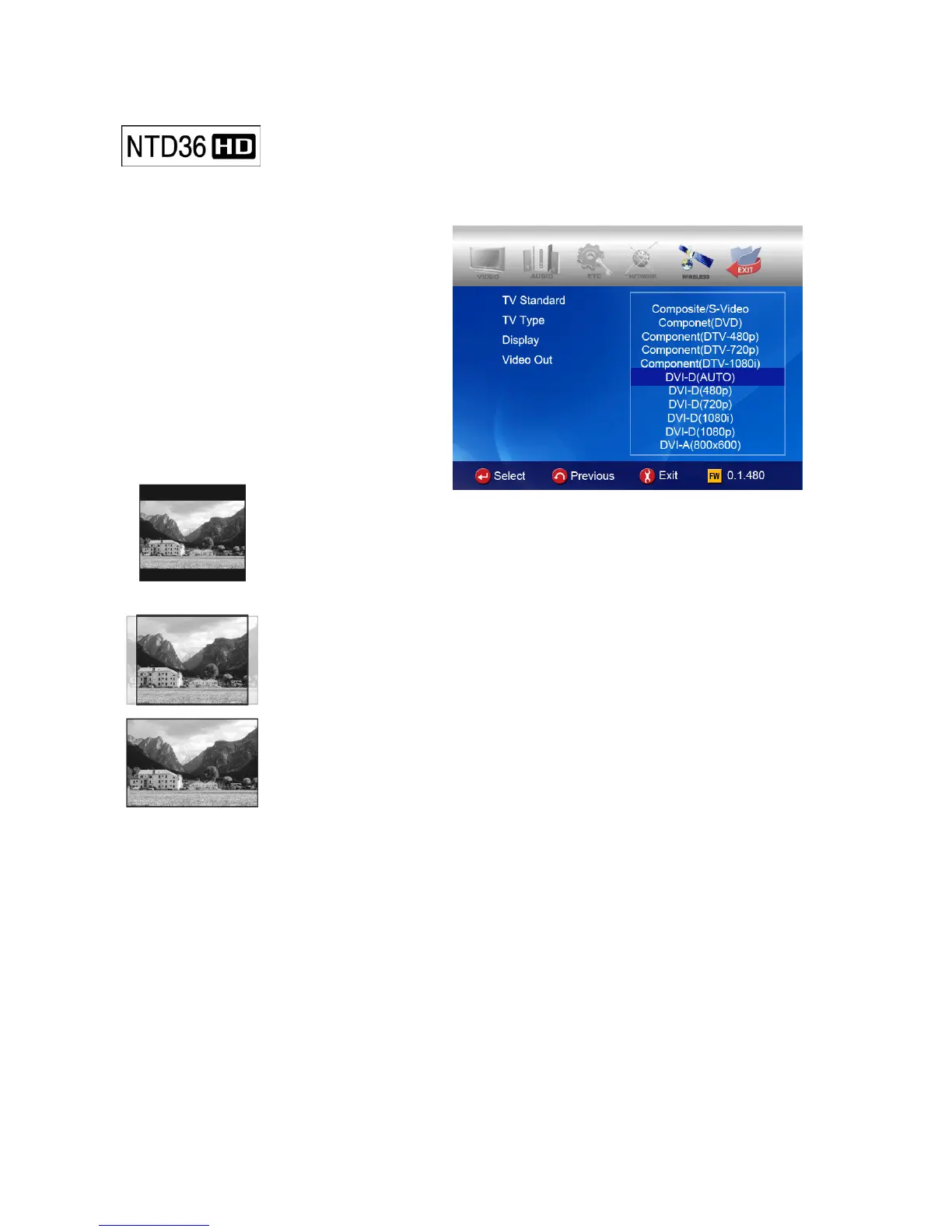
In SETUP Menu, if selecting VIDEO icon, sub items related to video are listed up
like picture.
• TV Standard
NTSC :Korea, North America
PAL : Europe and else
• TV Type
4:3 (for normal TV)
16:9(for Wide TV such as HDTV or
Plasma TV
• Display
Original(Letter Box) :
Select this option in case of playing a wide movie(16:9) with an ordinary
4:3 TV. There will be margins on the upper and lower sides of the screen.
Pan & Scan :
Select this option if you want a wide movie(16:9) to be adjusted fully to the
screen of ordinary 4:3 TV. The left/right of the movie is cut, and the margin of
top/bottom is disappeared.
Full Screen : Select this option if you want to adjust a movie fully to the
screen of TV with no consideration of original ratio. In this case, according to
the ratio of original movie, displaying size is enlarged upward/downward or to
the left/right.
• Video Out
Composite/S-Video : In case of connecting with TV through Composite, S-Video or
Component 480i output connector.
Component(each Mode) : In case of connecting with TV through Component(Y, Pb, Pr)
output connector.
DVI (Auto or each Mode ) : In case of connecting with TV through DVI connector.
VGA (each Mode ) : In case of connecting with Monitor through DVI to RGB Gender
connector.
※ By pressing TV OUT button of remote controller(or NTD36HD unit) several times,
you can change TV standard and Video Out mode in order. Standard modes
changeable in order is seven(7) level.



 To Next Page