18
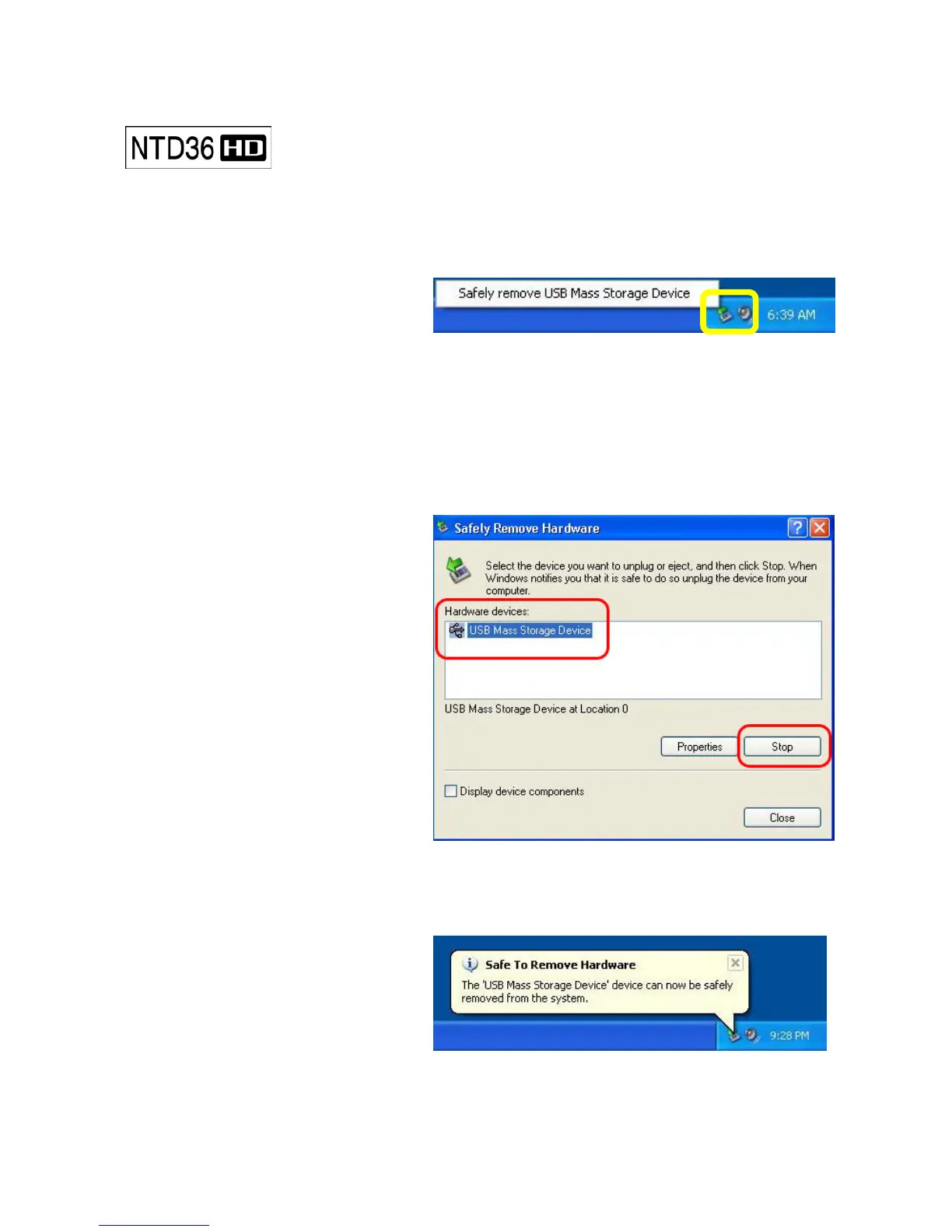
When try disconnecting USB cable between NTD36HD and PC,
Make sure to follow below procedure.
1. Do double-click the icon of “Safely
remove USB……”.
2. Click “Stop” button after selecting
“USB Mass Storage Device”..
3. When the message like picture is
shown, disconnect USB cable
between NTD36HD and PC.
Disconnecting from PC



 To Next Page