29
AUDIO setting change
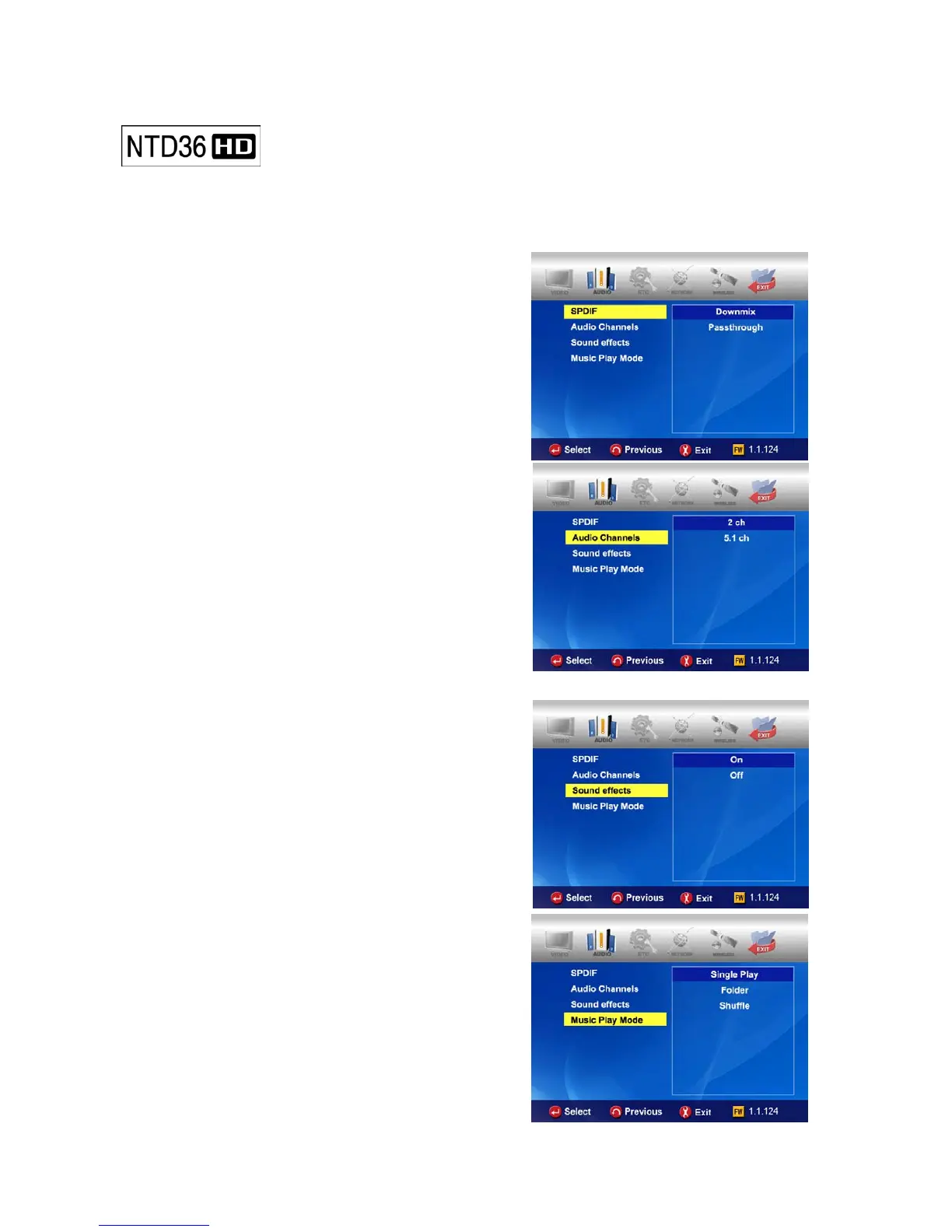
In SETUP Menu, if selecting AUDIO icon, sub items related to audio are displayed
like picture..
• SPDIF
Down mix : If selecting this option, all kind of
digital audio(PCM, MP3, AC3, DTS) are decoded
into analog signal. So, you can hear sound
without any separate DTS Decoder(or Receiver).
Pass through : If selecting this option, digital
signal is outputted directly without decoding
process. So, you need a separate Receiver or
Decoder to hear sound in case of using digital
audio connectors(Optical, Coaxial)
• Audio Channels
2 ch : If selecting this option, it outputs analog
audio signal with 2CH. If you use 2CH speaker,
please select this option.
5.1 ch : If selecting this option, it outputs
analog audio signal with 5.1CH. Without any
separate Decoder or Receiver, you can connect
with 5.1CH speaker directly
• Sound Effects
On : When power off and on NTD36HD, sound
effect comes out.
Off : No sound effect in power on/off..
• Music Play Mode
Single Play : It plays only selected music file.
Folder : It plays all music files in same folder
Shuffle: It plays all music file randomly in same
folder.



 To Next Page