31
NETWORK setting
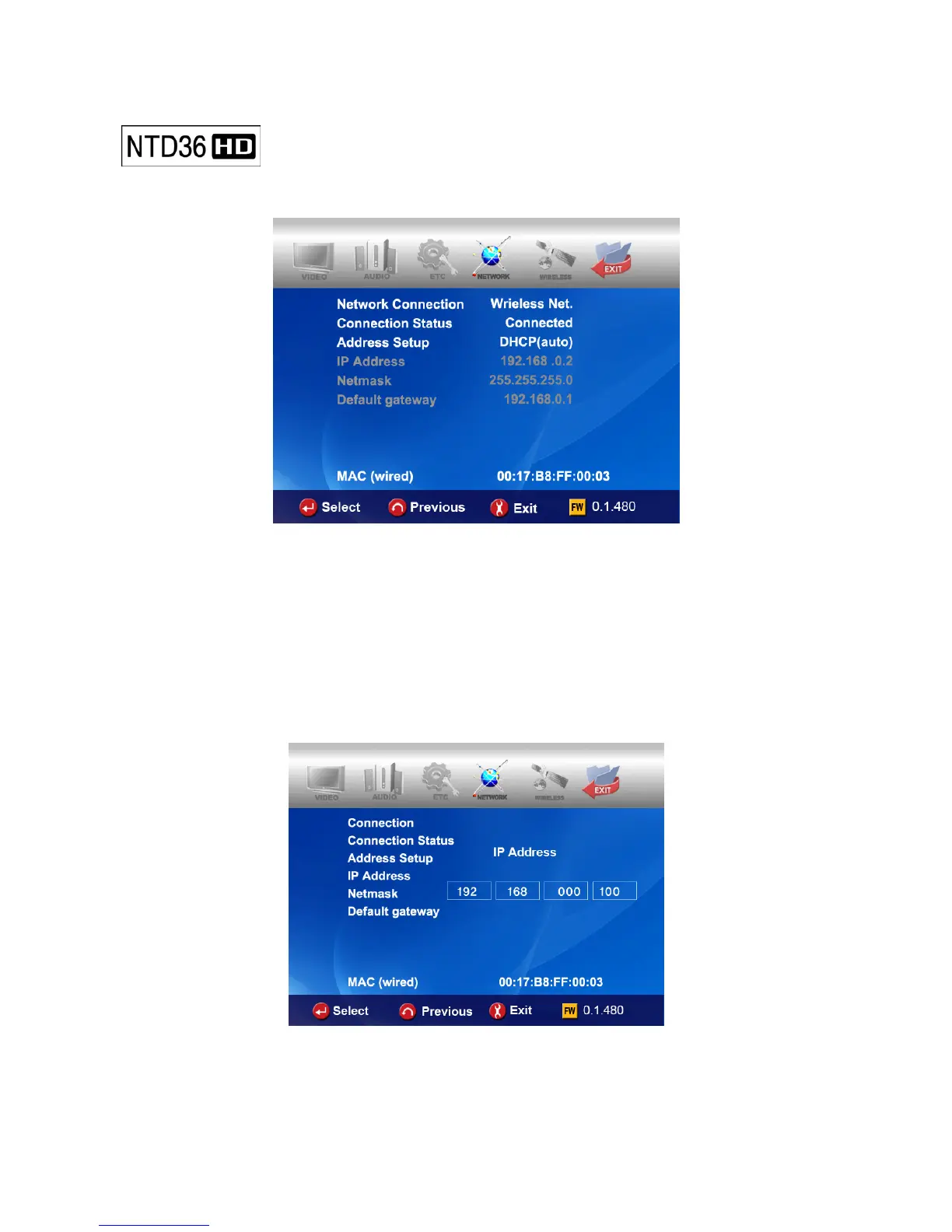
The sub option related to network will be displayed by selection of NETWORK icon.
• Network Connection : Select either “Wired Net.” (for the Ethernet connection) or
“Wireless Net.” depending on the type of network connection
you want to set up.
• Connection Status : It shows current network connection status.
• Address Setup:
DHCP(Auto IP) : IP address will be assigned automatically with using a router.
Static IP : IP address should be assigned manually by user with Ethernet networking using a
direct connection to the computer. Input the IP address, Netmask and Default gateway.
• MAC (wired) : It shows MAC address of wired LAN.



 To Next Page