IBC Technologies Inc. 23 VFC 15-150 and VFC 45-225
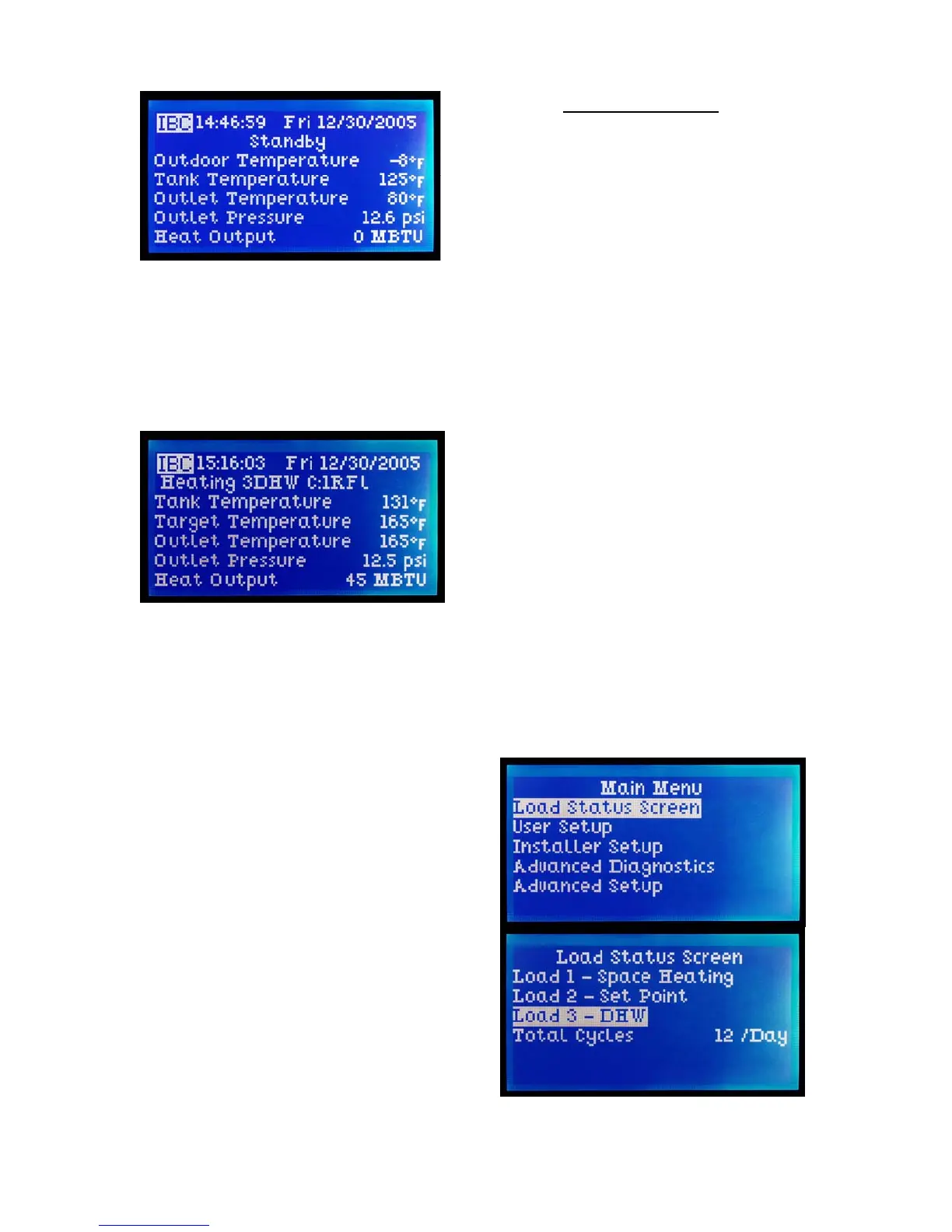
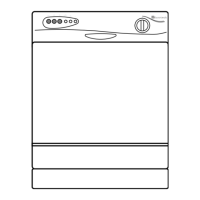
When there is a call for heat from any
load, that load is identified at the Status
line (e.g. Heating – RFL (for radiant
floor) in place of Standby). The Target
temperature for the relevant load is
conspicuously displayed while that load
is being handled.
Note the Status line displays those loads
that are heating or calling for heat. In
this instance (“Heating 3DHW
C:1RFL”), Load 3 has been set up as
DHW and is actively heating, while
Load 1 (Radiant Floor heating with
Reset) is shown as requiring heat but
awaiting its turn. If a third load has been
implemented and is also calling, the
Status line display would expand to
show the relevant details.
Legend:
RFl = radiant floor with reset
CIR = cast iron radiators w/ reset
BBd = baseboards w/ reset
AIR = air handler w/ reset
StP = set point
DHW = domestic hot water
Other information is accessible using a
menu based system – described in the
following sections.
2.4 ACCESS LEVELS
The controller provides for the display
of further information (via the Load
Status Screen) plus three levels of
access for the adjustment of control
settings. This is done to simplify the
control interface for the user while
retaining field access to the full
functionality of the system for the
appropriately trained heating
professional. The split access feature
offers a layer of security against
adventurous “finger trouble”, including
accidental adjustment to settings that
could lead to inefficient operation (e.g.
excessive cycling) or dangerous
conditions.
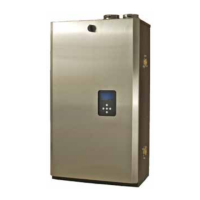
To access the Main Menu, touch any
key. Move the cursor up or down using
the top and bottom keys.
The Load Status Screen offers a
comprehensive summary of all settings
and actual readings for each heating
load, eliminating a need to jump
between screens while doing an
extended watch of boiler operation.
Note: where the word “more” is
displayed at the bottom or top of a
screen, it is possible to see more lines
by moving the cursor in that direction.


 To Next Page