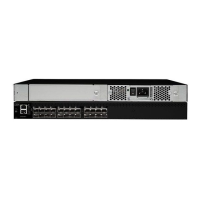
1 AC power receptacle
2 Ethernet port
3 Serial port
4 Fibre Channel ports (16)
Non-port side of the SAN16B-2 switch
The non-port side of the switch is used solely for air flow and for serial number
labels. The three built-in fans are located on this side of the switch. These fans
cannot be removed or replaced.
Supported (optional) features
The switch supports the following optional software, which can be activated with the
purchase of the corresponding license key.
v “Additional Port Activation”
v “Full Fabric Activation”
v “Fabric Watch”
v “Advanced Security” on page 4
v “Performance Bundle (Performance Monitoring and ISL Trunking)” on page 4
Additional Port Activation
The base switch model provides the first eight ports (0 through 7) enabled.
Additional 4–port activation enables an upgrade to 12 and 16 ports. Customers can
optionally purchase port activation for ports eight to eleven (first four-port
increment), and ports twelve to fifteen (second four-port increment). Port activation
features do not include fiber optic transceivers.
Full Fabric Activation
Full Fabric Activation is required to enable E_Ports. The switch, by default, cannot
be connected to another switch until Full Fabric is installed. Without this license
activation, the switch can be directly connected to hosts and storage devices. Full
Fabric is a prerequisite to Advanced Security Activation and Performance Bundle
Activation.
Fabric Watch
Fabric Watch enables real-time proactive awareness of the health, performance,
and security of each switch and automatically alerts network managers to problems
in order to avoid costly failures. Fabric Watch includes the following functions:
v Real-time tracking of numerous fabric and switch elements
scale: 5/16" = 1"
!
IOIOI
0
4
3
7
1
5
2
6
8
12
11
15
9
13
10
14
1
2
3
4
b1600007
Figure 1. Port side of the SANB16-2 switch
Chapter 1. Introducing the SAN16B-2 switch 3



 To Next Page
 Loading...