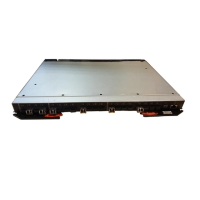
Chapter 2. Installing and configuring the SAN16B-2
You can install the SAN16B-2 in either of two ways:
v As a stand-alone unit on a flat surface
v In an Electronic Industries Association (EIA) cabinet using a slide-rail rack mount
kit, which is provided with the switch. When you mount the switch into a slide-rail
rack, you can mount the chassis to slide from either the port side or the non-port
side.
This
chapter provides the following information:
v “Items included with the switch”
v “Installation and safety considerations” on page 8
v “Installing a stand-alone SAN16B-2” on page 9
v “Installing a SAN16B-2 into an EIA cabinet” on page 10
v “Cabling and configuring the SAN16B-2” on page 16
Items included with the switch
The following items are included with the standard shipment of the switch . When
you open the packaging, verify that these items are included in the package and
that no damage occurred during shipping.
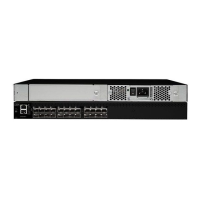
v One SAN16B-2 switch
v An accessory kit that contains the following items:
– One grounded 1.8 m (6 ft) country-specific power cables
– One RS–232 serial cable (with removable adapter for converting to an RJ-45
connector)
– Four rubber mounting feet, required for setting up the switch as a stand-alone
unit
– One slide-rail rack mount kit, with instructions
– SFP transceivers (quantity depending upon features ordered)
– SAN16B-2 Installation, Service, and User’s Guide (this document).
– IBM documentation CD
© Copyright IBM Corp. 2005 7



 To Next Page
 Loading...