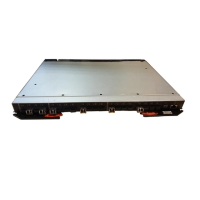
Port LED patterns
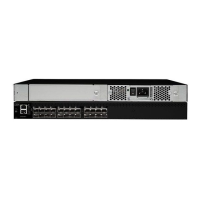
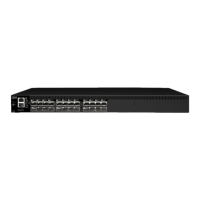
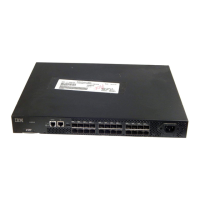
Each port has two LEDs: a port speed and a port status indicator. These LEDs are
located below both rows of ports, and each set is labeled with the port number.
Table 7 shows the LED location, color, and meaning for these port LEDs.
Table 7. Port LED patterns during normal operation
LED name LED color Status of hardware Recommended action
Port Status No light No light or signal carrier (SFP or
cable) detected.
Check SFP and cable.
Steady green Port is online (connected to external
device) but has no traffic.
No action required.
Slow-flashing
green (on one
second, off one
second)
Port is online but segmented,
indicating a loopback cable or
incompatible switch.
Verify that the correct device is
connected to port and that the switch
and port settings are correct.
Fast-flashing
green (on 1/4
second, off 1/4
second)
Port is in internal loopback
(diagnostic).
No action required.
Flickering green Port is online with traffic flowing
through port.
No action required.
Steady amber Port is receiving light or signal carrier
but is not yet online.
No action required.
Slow-flashing
amber (on one
second, off one
second)
Port is disabled as the result of
diagnostics or portDisable command.
If all ports are slow-flashing amber,
the switch could be disabled.
Enable the port using the portEnable
command. See the Brocade Fabric
OS Command Reference Manual for
more information.
If all ports are slow-flashing amber,
enable the switch using the
switchEnable command.
Fast-flashing
amber (on 1/4
second, off 1/4
second)
Port is faulty. Perform the following steps:
1. Check the Port Status LEDs, error
log, SFP, and cable or loopback
plug.
2. Clear the error log.
3. Rerun the diagnostics to verify
that the error condition is fixed.
Alternating green
and amber
Port is bypassed. Check configuration of Fibre Channel
loop.
Port Speed Green on, amber
off
Port is transmitting/receiving at 2
Gb/sec.
No action required.
Green off, amber
off
Port is transmitting/receiving at 1
Gb/sec.
No action required.
Amber on, green
off
Port is transmitting/receiving at 4
Gb/sec.
No action required.
Ethernet LED patterns
Each Ethernet port has two LEDs, the Link LED, and the Speed LED (see Figure 9
on page 22 for the Ethernet port and Ethernet LED locations). Table 8 on page 25
describes the location, color, and meaning for the Ethernet LED activity.
24 SAN16B-2 Installation, Service, and User’s Guide



 To Next Page
 Loading...