Biotech-Lab User Manual \\ 12www.ibpmedical.com
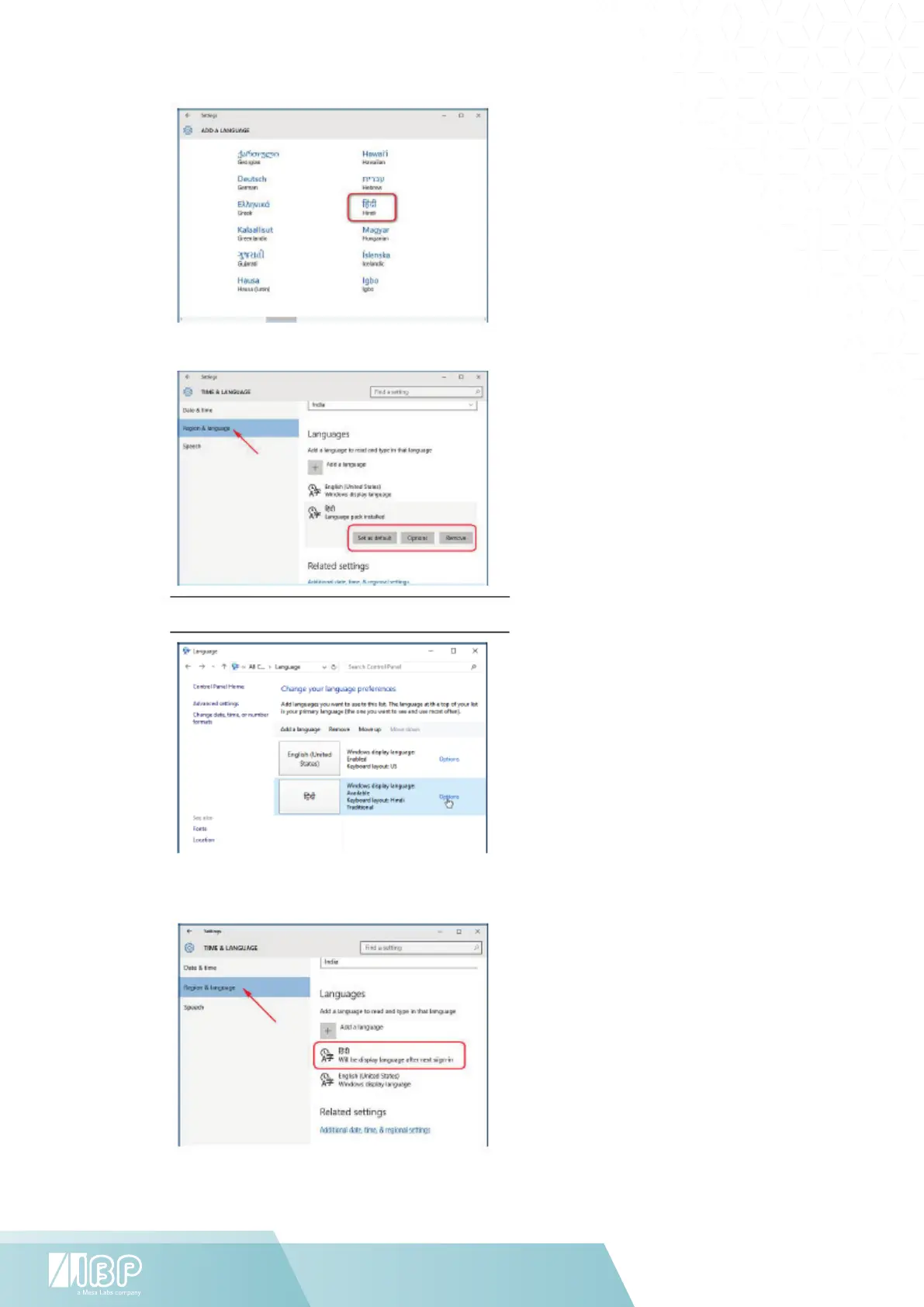
Click on the language you want,
and it will start downloading.
Go back to the “Time &
Language” screen and click on
the language you just installed.
You’ll see three options: “Set as
default”, “Options”, “Remove”.
Under “Options”, click “Download” to
download the language pack and
keyboard for that language.
If you open “Control Panel >
Languages”, you’ll see the traditional
settings which you are familiar with.
Changing the Display Language
To change the language of the user
account you are currently using,
select a language, then click “Set
as default.”


 To Next Page