Biotech-Lab User Manual \\ 11www.ibpmedical.com
5 OS Windows 10
If you are not familiar with Windows 10 please navigate to:
http://windows.microsoft.com/en-us/windows
5.1 CHANGING THE DISPLAY LANGUAGE IN WINDOWS 10
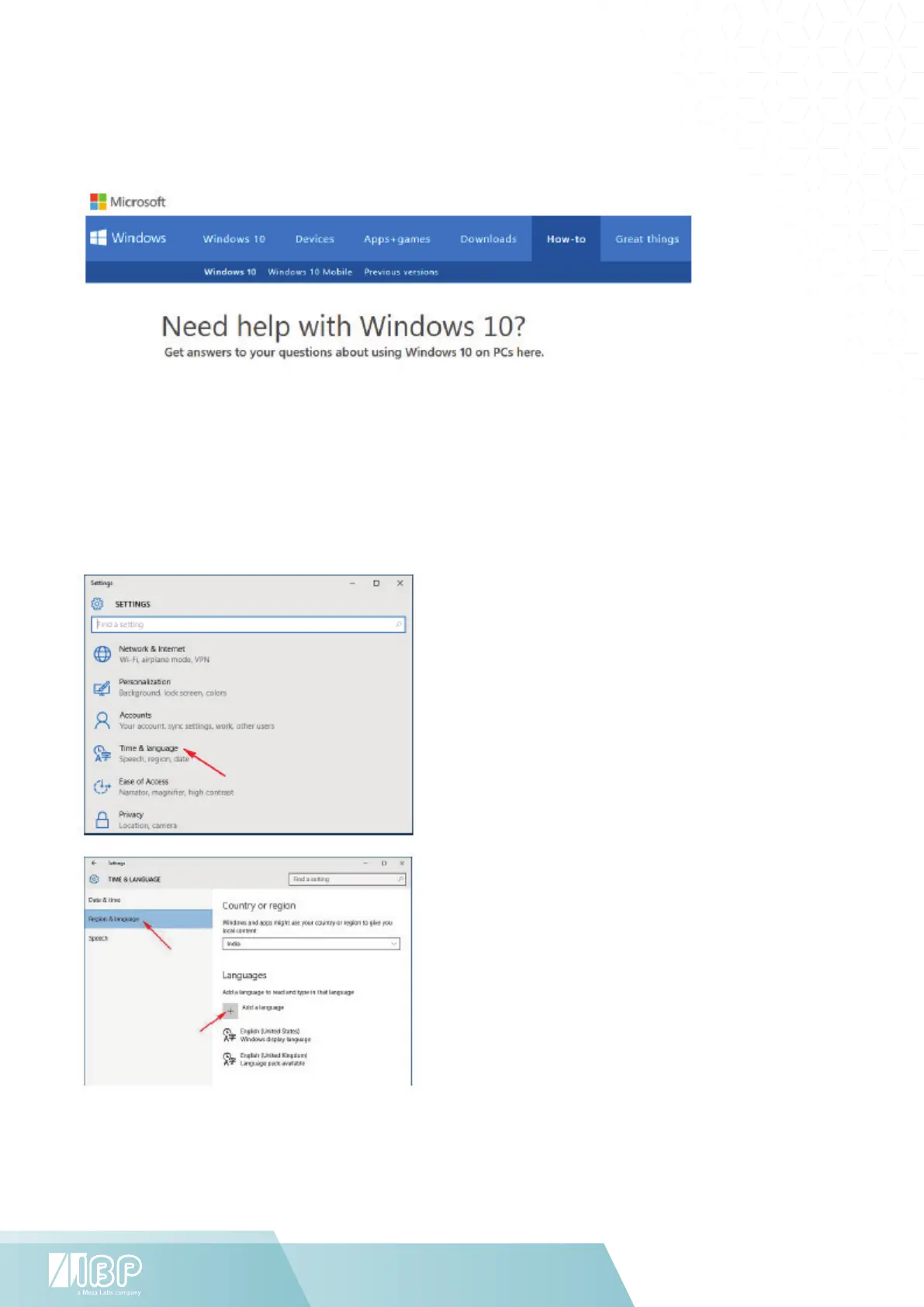
To change the default language, sign in to Windows 10 and Go to “Start Menu” and select Settings.
Select “Time & Language”
Select “Region & Language”
Select the region you are in.
Click “Add a language”


 To Next Page