18
G If previously installed, remove the refrigerant
service gauges and re-fit the unit service
panels previously removed.
H Instruct the owner/user on the general opera-
tion of the ice machine and about the clea-
ning and care it requires.
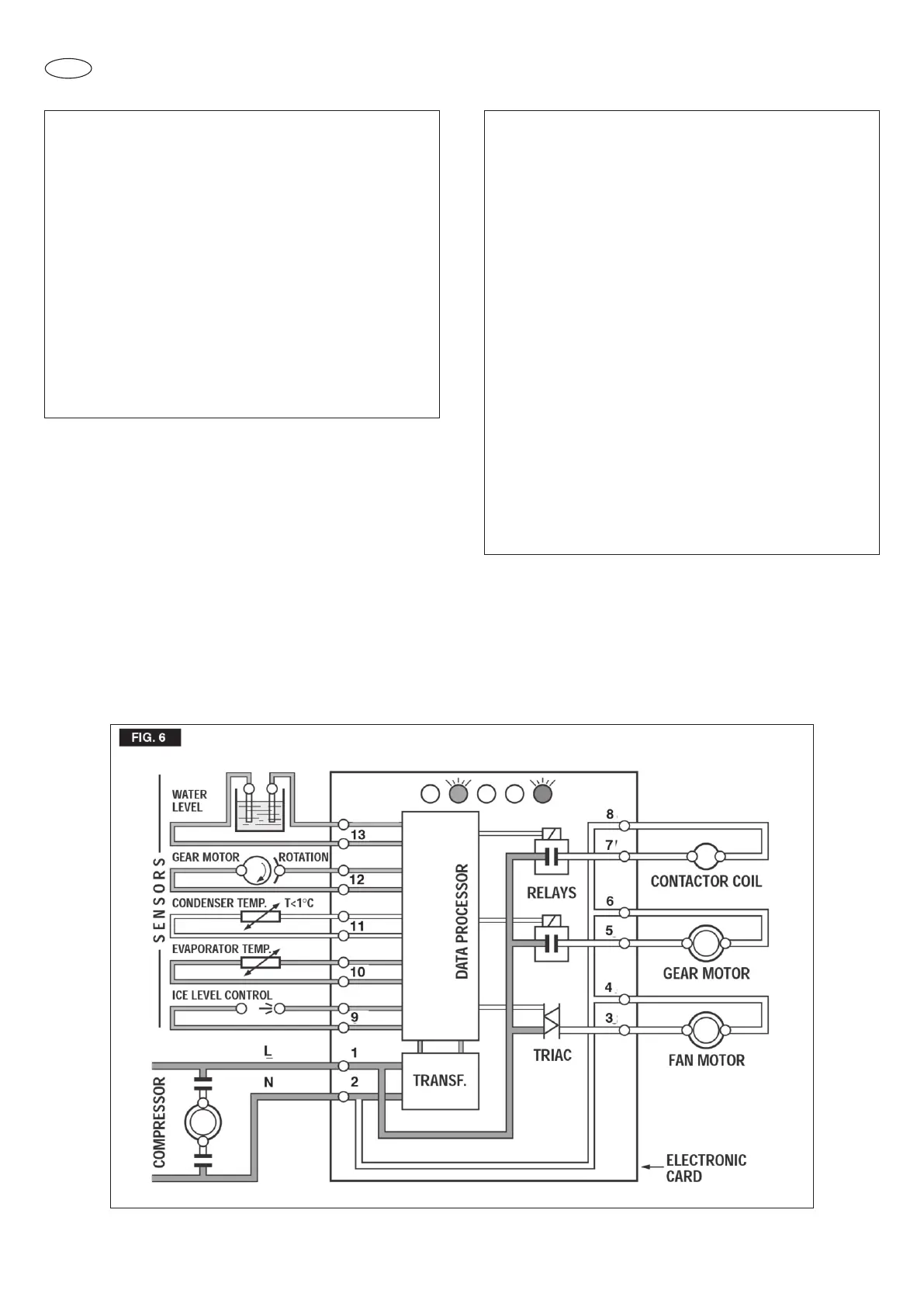
NOTA. During the life of the machine the Ice
Level Control may require a recalibration
mainly when the glass of the two optical eyes
are covered by a thin lay of scale. To do it just
follow the following procedure:
• With unit OFF push and old the Button of the
PC Board
• Give power to the machine through the
external Master Switch
• Hold the PC Board Button till the leds are
ON (more or less 10 seconds)
• Release the PC Board Button
The Optical Ice Level Control is now recali-
brated. Check for the correct operation of the
Optical Ice Level Control by plasing a hand-
full of ice in between the two eyes. The Bin
Full yellow led must start to blink/ flash imme-
diately and, 6 seconds later, the machine
must trip OFF.
NOTA. The ICE LEVEL CONTROL (INFRA-
RED SYSTEM) is independent of the tempe-
rature however, the reliability of its detection
can be affected by external light radiations or
by any sort of dirt and scale sediment which
may deposit directly on the light source and
on the receiver. To prevent any possible ice
maker malfunction, it is advisable to locate
the unit where it can't be reached by any
direct light beam or light radiation and to fol-
low the instructions for the periodical clea-
ning of the light sensor elements as detailed
in the MAINTENANCE AND CLEANING PRO-



 To Next Page