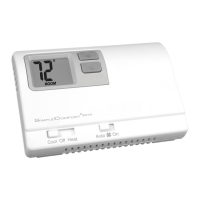
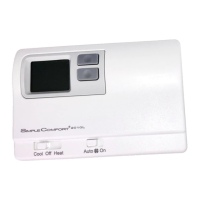
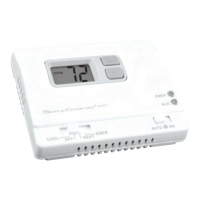
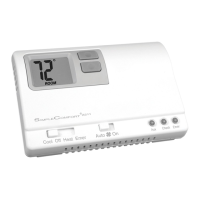
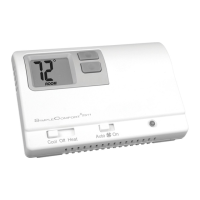
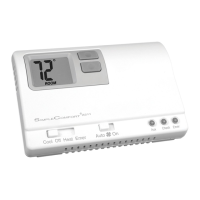
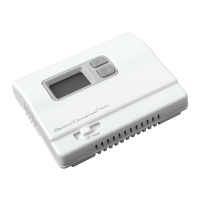
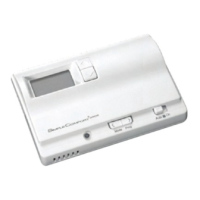
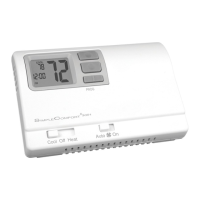
The SC2000/SC2001 are non-programmable electronic thermostats designed for controlling various heating and cooling systems. These devices are mercury-free and environmentally safe, offering a straightforward approach to temperature management in residential and commercial settings.
Function Description
The primary function of the SC2000/SC2001 thermostats is to regulate the temperature of a single-stage heating/cooling system or a single-stage heat pump system. They are compatible with a wide range of heating sources, including gas, oil, and electric systems, making them versatile for different installations. Additionally, these thermostats can be used with millivolt and hydronic (water or steam) systems, further expanding their application possibilities.
The SC2000 model is powered by two "AA" alkaline batteries, which are included, while the SC2001 model operates on 18-30 VAC. Both models feature a clear LCD display that shows the room temperature, setpoint temperature, and a low battery signal (LO BAT) for the SC2000. The SC2001 also displays the temperature differential setting.
A key feature of these thermostats is their non-programmable nature, meaning they maintain a set temperature without a scheduled program. Users can manually adjust the desired temperature using simple up and down arrow buttons. The thermostats also incorporate a "Freeze Protection Feature," which automatically activates the heat if the room temperature drops to 40°F (provided the thermostat is in the Heat position). This feature is particularly useful for preventing pipes from freezing and operates even if the SC2000's batteries are depleted.
For air conditioning systems, a "Built-in Compressor Protection" feature is included. This introduces a 5-minute delay between the system turning off and the A/C restarting, which helps protect the compressor from short cycling and potential damage.
Usage Features
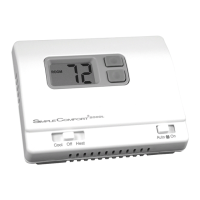
Operating the SC2000/SC2001 is designed to be intuitive. The thermostats feature a Cool/Off/Heat switch to select the desired system mode and a Fan Auto/On switch to control the fan operation.
To set the room temperature, users simply press one of the arrow buttons to display the current setting, then use the up or down arrow buttons to adjust to the desired temperature. The new setting is automatically saved after 5 seconds.
The thermostats also offer "System Customization" through three available temperature differential settings. The default differential is 1°F, meaning the system will turn on when the room temperature varies by 1°F from the setpoint. If the system cycles too frequently, users can increase this differential to reduce the on/off frequency. Adjusting the differential involves a specific procedure: for the SC2000, it requires removing and reinserting batteries, while for the SC2001, it involves pressing the Reset button. After this, "Diff01" will display, and the arrow buttons can be used to select the desired differential setting.
Installation of the thermostat involves several steps, including turning off power to the system, removing the old thermostat, labeling wires, mounting the new thermostat base, connecting wires to the appropriate terminals, and installing batteries (for SC2000). Specific jumpers need to be set for fan type (electric or gas/oil) and heat pump configuration (NON-HP or HP).
A "Quick Test" procedure is provided in the manual to verify proper installation and functionality. This test guides users through setting the thermostat to Cool and Heat modes and checking fan operation to ensure the system responds correctly.
Maintenance Features
Maintenance for the SC2000/SC2001 primarily involves battery replacement for the SC2000 model and general cleaning. For the SC2000, it is recommended to change the two "AA" alkaline batteries at least once a year or whenever the "LO BAT" warning displays on the LCD. Proper battery installation, ensuring positive ends match positive terminals, is crucial. After installing new batteries, the room temperature setting and differential setting may need to be reset.
Cleaning the thermostat should be done with a damp cloth and mild soap to wipe the outside of the cover. It is important to avoid getting soap directly on the thermostat switches or the LCD readout.
The manual also provides a "Troubleshooting" section to help users diagnose and resolve common issues. This section offers remedies for problems such as the system not turning on, a blank LCD or "LO BAT" display, improper fan control, continuous on/off cycling, and inaccurate temperature readings. For example, if the system isn't turning on, users are advised to check the wiring and, for the SC2000, the batteries. If the thermostat is continuously cycling, increasing the temperature differential is suggested.
Overall, these thermostats are designed for reliable, low-maintenance operation, providing essential temperature control with user-friendly features and built-in protections for the HVAC system.


 To Next Page
 General