USA
n
WEATHER ALERT (p. 8)
q
w
Turn the weather alert item in the
SET mode ON.
Select WX channel; or start scanning.
Push [SCN•TAG] to start/stop scanning.
n
SCAN (p.13)
n
CHANNEL COMMENT (p. 15)
•
Channel comment programming
n
SET MODE (pgs. 16–19)
LOCK
SCRM
q
w
e
r
While pushing
[MONI], turn
power ON.
Push [MONI]
again to select
an item.
Push [
Y
]/[
Z
]
to select the desired condition.
Push [16•C] to return to regular op-
erating mode.
q
w
e
r
t
Push [
Y
]/[
Z
] to select the desired
channel.
Push [DW•TRI], while pushing [MONI].
Push [
Y
]/[
Z
] to select the desired
characters.
Push [SCN•TAG] to move to right;
[H/L•LOCK] to move to left.
Push [DW•TRI] to return to normal
operating mode.
Refer to pgs. 16–19 for set
mode item.
n
DUALWATCH/TRI-WATCH (p. 14)
q
w
Push [
Y
]/[
Z
] to select the desired
channel.
For dual watch, push [DW•TRI].
For tri-watch, push [DW•TRI] for 1 sec.
n
TAG CHANNELS (p. 13)
q
w
Push [
Y
]/[
Z
] to select the desired
channel.
Push [SCN•TAG] for 1 sec. to
change the setting ON and OFF.
n
VOICE SCRAMBLER (p. 10)
q
w
Set a scram-
bler code in
SET mode.
While pushing
[MONI], push
[SCN•TAG] to
turn the function ON and OFF.
INT
DUP
n
LOCK FUNCTION (p. 10)
Push
for 1 sec. to
turn the lock
function ON
and OFF.
Cannot be used on ch 16 or 70.
26
14
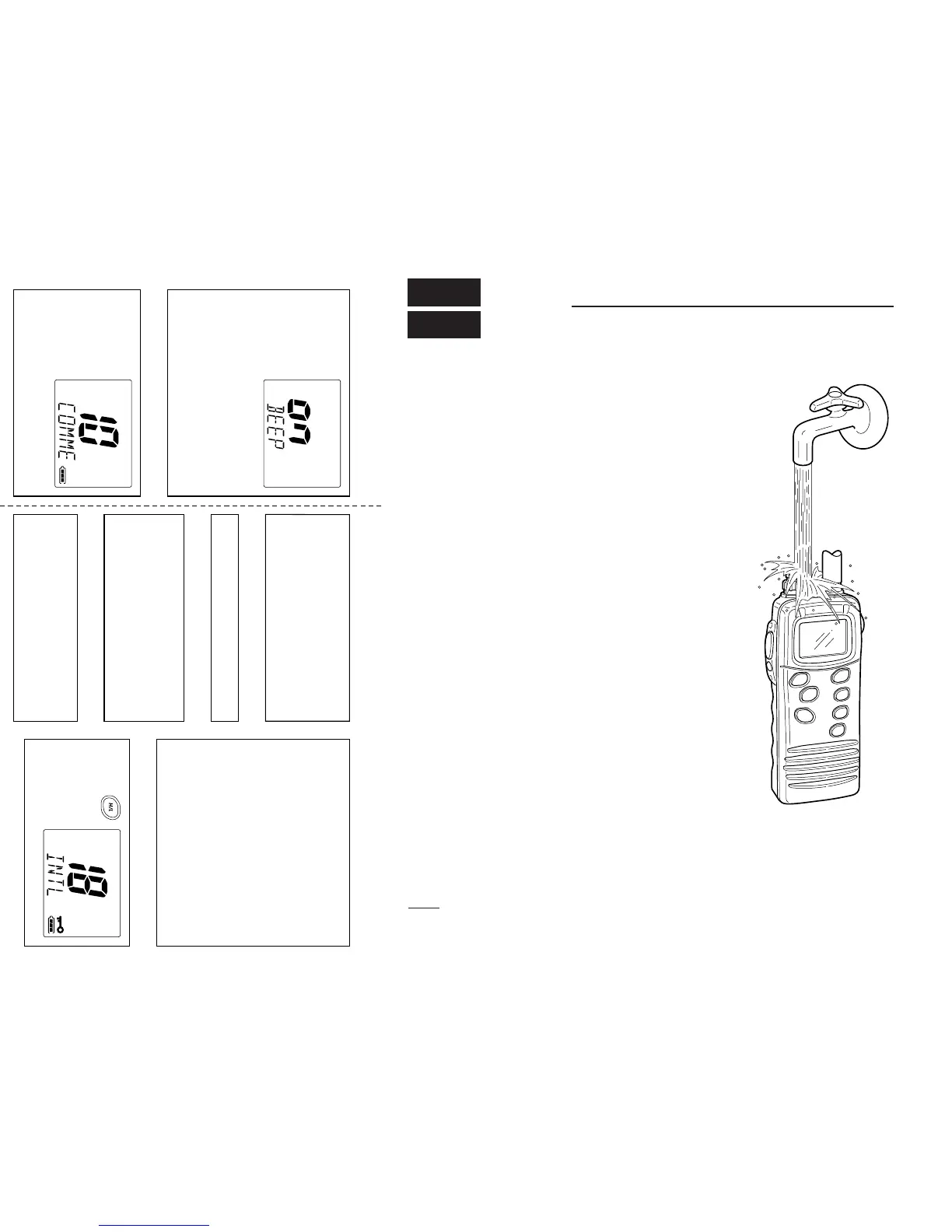
RECOMMENDATION
CLEAN THE TRANSCEIVER THOR-
OUGHLY WITH FRESH WATER after
exposure to salt water.
Otherwise, the transceiver’s keys, switch-
es and controllers may become inopera-
ble due to salt crystallization.


 To Next Page