11
5
SCAN OPERATION
■ Scan types
Scanning is an efficient way to locate signals quickly over a
wide frequency range. The transceiver has a priority scan and
a normal scan.
In addition, weather alert functions are available for standby
convenience. (p. 13)
Set the tag channels (channels to be scanned) before scan-
ning. Clear the tag channels which inconveniently stop scan-
ning, such as those used for digital communications.
NOTE: Choose priority or normal scan in SET mode. (p. 14)
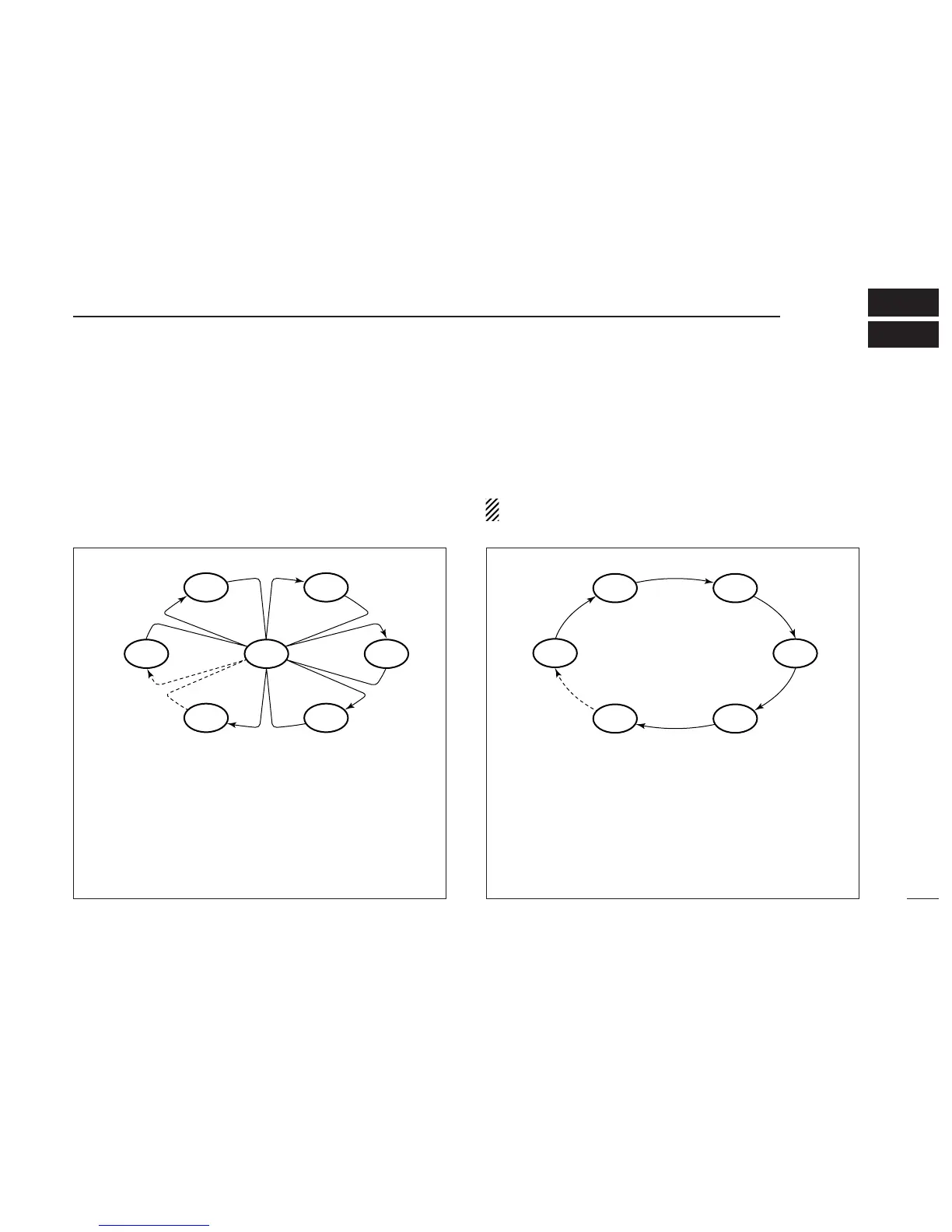
PRIORITY SCAN
Priority scan searches through all tag channels in se-
quence while monitoring Channel 16. When a signal is de-
tected on Channel 16, scan pauses until the signal
disappears; when a signal is detected on a channel other
than Channel 16, scan becomes dualwatch until the signal
disappears.
* Previously selected weather channel
when weather alert function is ON.
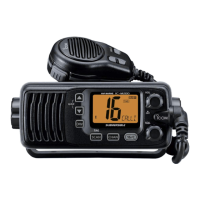
NORMAL SCAN
Normal scan, like priority scan, searches through all tag
channels in sequence. However, unlike priority scan, Chan-
nel 16 is not checked unless Channel 16 is set as a tag
channel.



 To Next Page