23
7
DSC OPERATION
1
2
3
4
5
6
7
8
9
10
11
12
13
14
15
16
D Entering a Group ID
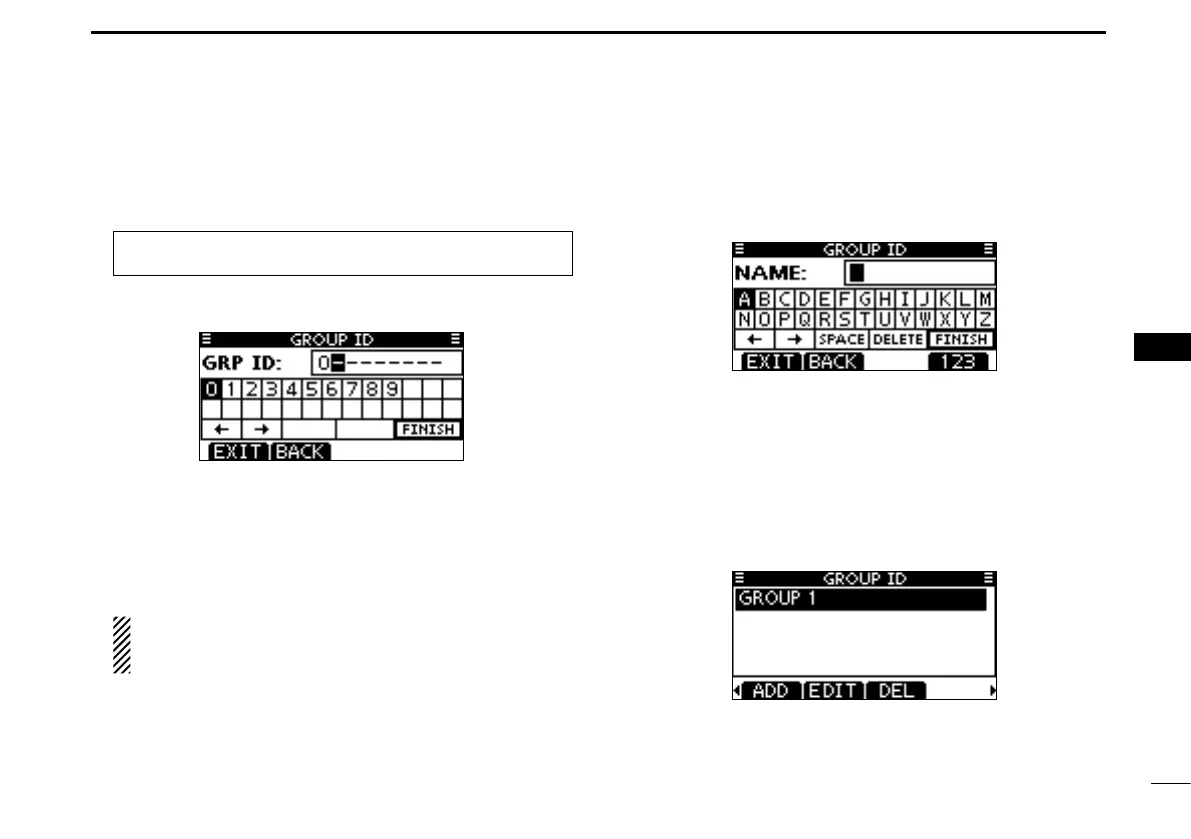
q Enter “GROUP ID” in the DSC SETTINGS menu.
w Push [ADD].
• The “GROUP ID” entry screen is displayed.
e Enter a desired group ID in the following way:
• Select a desired number using Dial, or [Y]/[Z]/[Ω]/[≈].
• Push [ENT] or Dial to set it.
• To move the cursor, select either arrow, “←” or “→,” then push
[ENT] or Dial.
• Push [EXIT] to return to the normal operating mode.
• Push [BACK] to return to the previous screen.
The first digit is specified as ‘0,’ and the second digit is
other than ‘0’ for a Group ID.
The first two digits are ‘0’ for any Coast station ID.
r Repeat step e to enter the specific 9 digits group code.
t After entering the 9 digit code, push [ENT] or Dial to set it.
• Group ID name entry screen is displayed.
y Enter a desired 10 digit ID name in the following way:
• Select a desired character using Dial, or [Y]/[Z]/[Ω]/[≈].
• Push [ENT] or Dial to set it.
• To move the cursor, select either arrow, “←” or “→,” then push
[ENT] or Dial.
• Push [123], [!$?], or [ABC] to select a character group.
u After entering the ID name, select “FINISH” using Dial, or
[Y]/[Z]/[Ω]/[≈], then push [ENT] or Dial to save it.
• The “GROUP ID” list screen is displayed.
i Push [MENU] to exit the MENU screen.
MENU ➪ DSC Settings ➪
Group ID
(Push [MENU].)
(Rotate Dial, then push [ENT].)



 To Next Page