33
7
DSC OPERATION
1
2
3
4
5
6
7
8
9
10
11
12
13
14
15
16
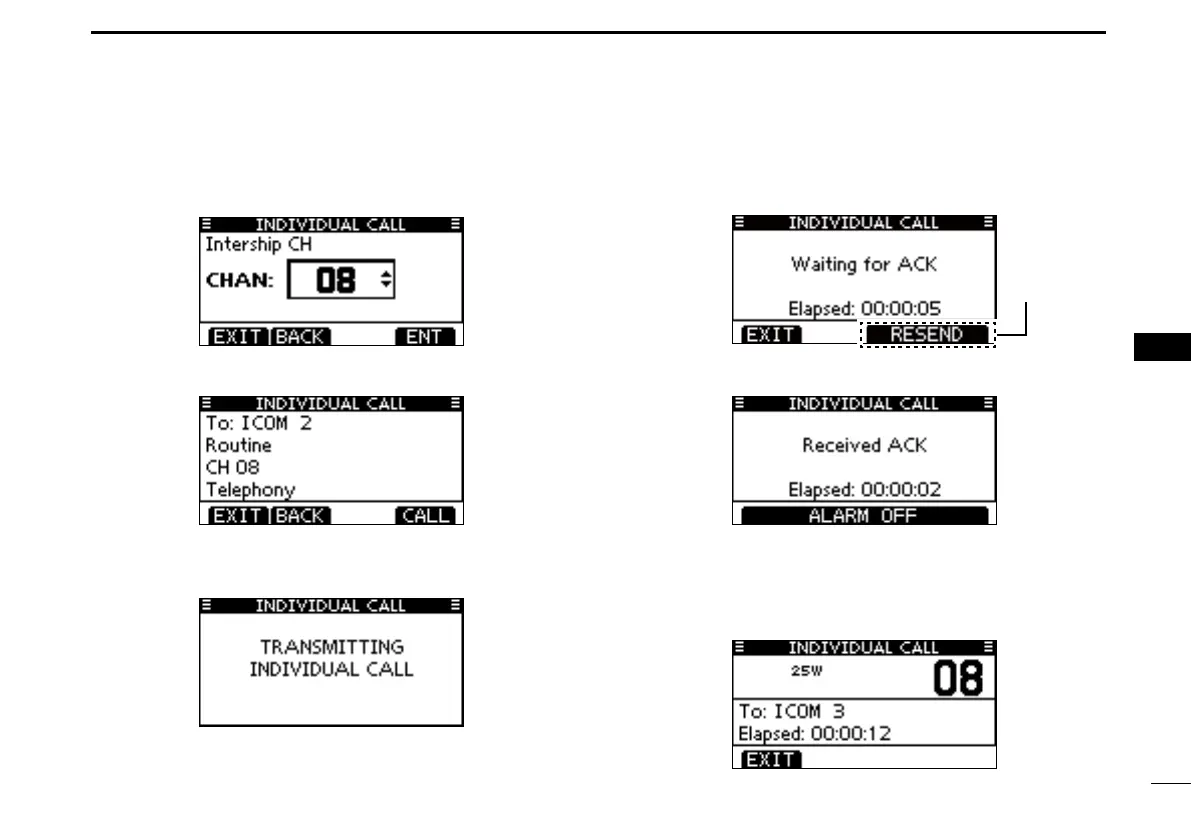
e Select a desired intership channel using Dial or [Y]/[Z],
then push [ENT].
• Intership channels are already preset into the transceiver in the
recommended order.
r A confirmation screen is displayed.
• Confirm the call contents.
t Push [CALL] to make an Individual call.
• If Channel 70 is busy, the transceiver stands by until the channel
becomes clear.
y Standby on Channel 70 until an acknowledgement is received.
• Push [EXIT] to return to the normal operating mode.*
* Only USA version, the exit confirmation dialog (p. 29) is displayed.
• Only USA version, push [RESEND] to resend the call.
u When the acknowledgement ‘Able to comply’ is received,
alarm sounds and the screen below is displayed.
Push [ALARM OFF] to stop the alarm and then select the
intership channel specified in step e.
• A different intership channel will be selected if the station you
called cannot use the channel.
• Reply using the microphone. And go to step i.
Displayed
for only USA
version.



 To Next Page