43
7
DSC OPERATION
1
2
3
4
5
6
7
8
9
10
11
12
13
14
15
16
D Making a Test call
Testing on the exclusive DSC distress and safety calling
channels should be avoided as much as possible. When test-
ing on a distress or safety channel is unavoidable, you should
indicate that these are test transmissions.
Normally the test call would require no further communica-
tions between the two stations involved.
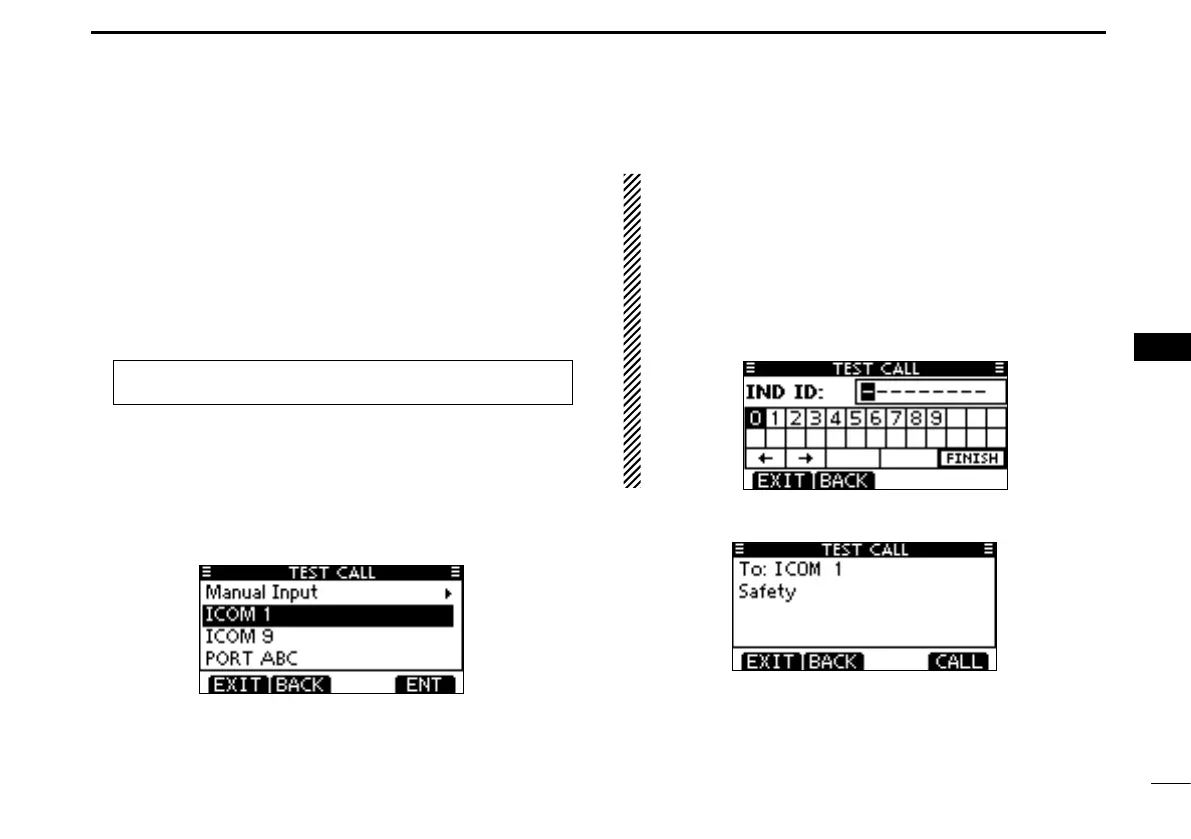
Enter “TEST CALL” in the DSC CALLS menu. q
Select a desired preset individual address, or “Manual In- w
put,” then push Dial or [ENT].
•TheIDcodefortheIndividualcallcanbeenteredrst.(p.22)
•When“ManualInput”isselected,enterthe9digitMMSIIDcode
for the individual you wish to call.
•Push[EXIT]toreturntothenormaloperatingmode.
•Push[BACK]toreturntothepreviousscreen.
About Manual Entry:
Enter a desired address ID in the following way:
•SelectadesirednumberusingDial,or[Ω]/[≈].
•Push[ENT]orDialtosetit.
•Tomovethecursor,selecteitherarrow,“←” or “→,” then push
[ENT] or Dial.
•Therstdigitisspeciedas‘0’foraGroupID.Ifa9digitGroupID
is entered, an error beep sounds when pushing [ENT] or dial.
•Thersttwodigitsare‘0’foranyCoaststationID.
A confirmation screen is displayed. e
•Conrmthecallcontents.
MENU
➪ DSC Calls ➪ Test Call
(Push [MENU].)
(Rotate Dial, then push [ENT].)



 To Next Page