46
7
DSC OPERATION
New2001
■ Making DSC calls
Making a Test Acknowledgement call (continued) D
Manual ACK:
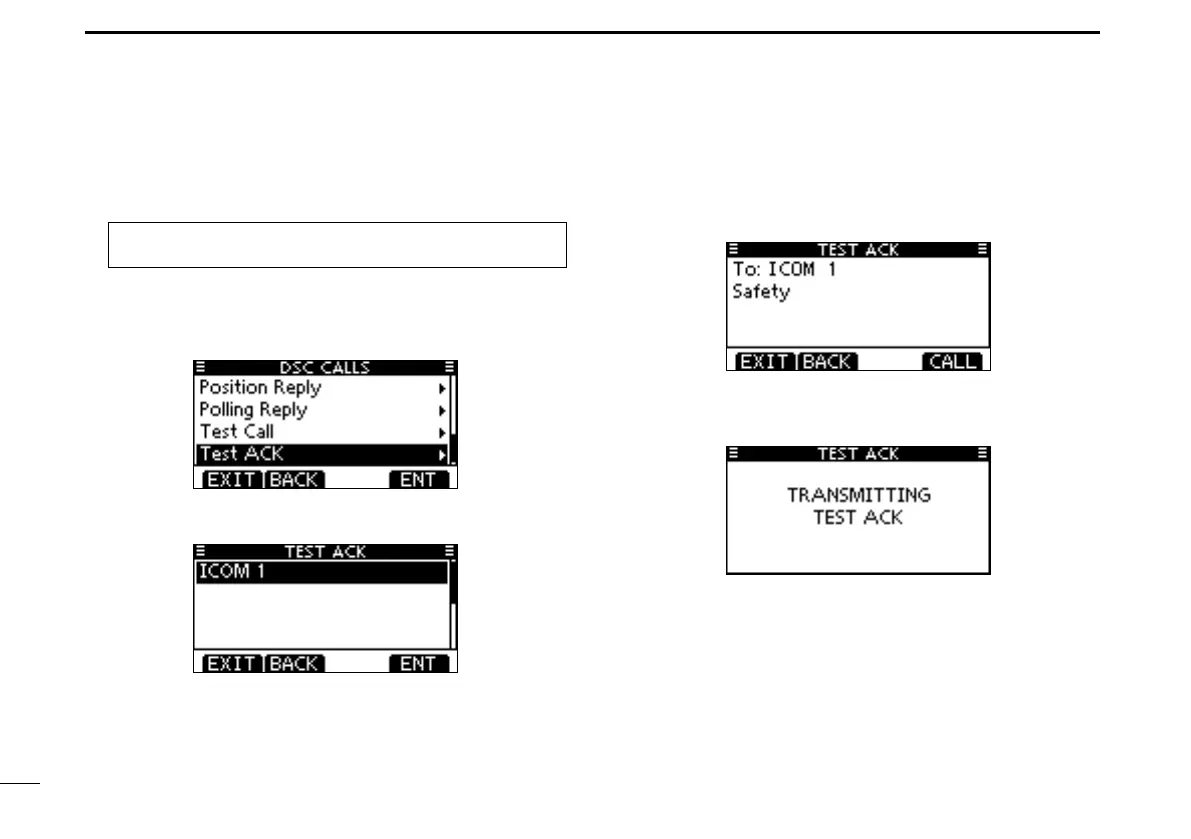
Enter “TEST ACK” in the DSC CALLS menu. q
MENU ➪ DSC Calls ➪ Test ACK
(Push [MENU].)
(Rotate Dial, then push [ENT].)
•IfnoTestcallhasbeenreceived,the“TESTACK”itemwillnot
be displayed.
•Push[EXIT]toreturntothenormaloperatingmode.
•Push[BACK]toreturntothepreviousscreen.
Select a desired Test call to reply to, using Dial or [ w Y]/[Z],
then push Dial or [ENT].
The Test ACK confirmation screen is displayed. e
Push [CALL] to make an acknowledgement call.
While transmitting the acknowledgement call, the screen r
shown below is displayed, and then returns to the normal
operating mode.



 To Next Page