54
7
PRIORITY WATCH
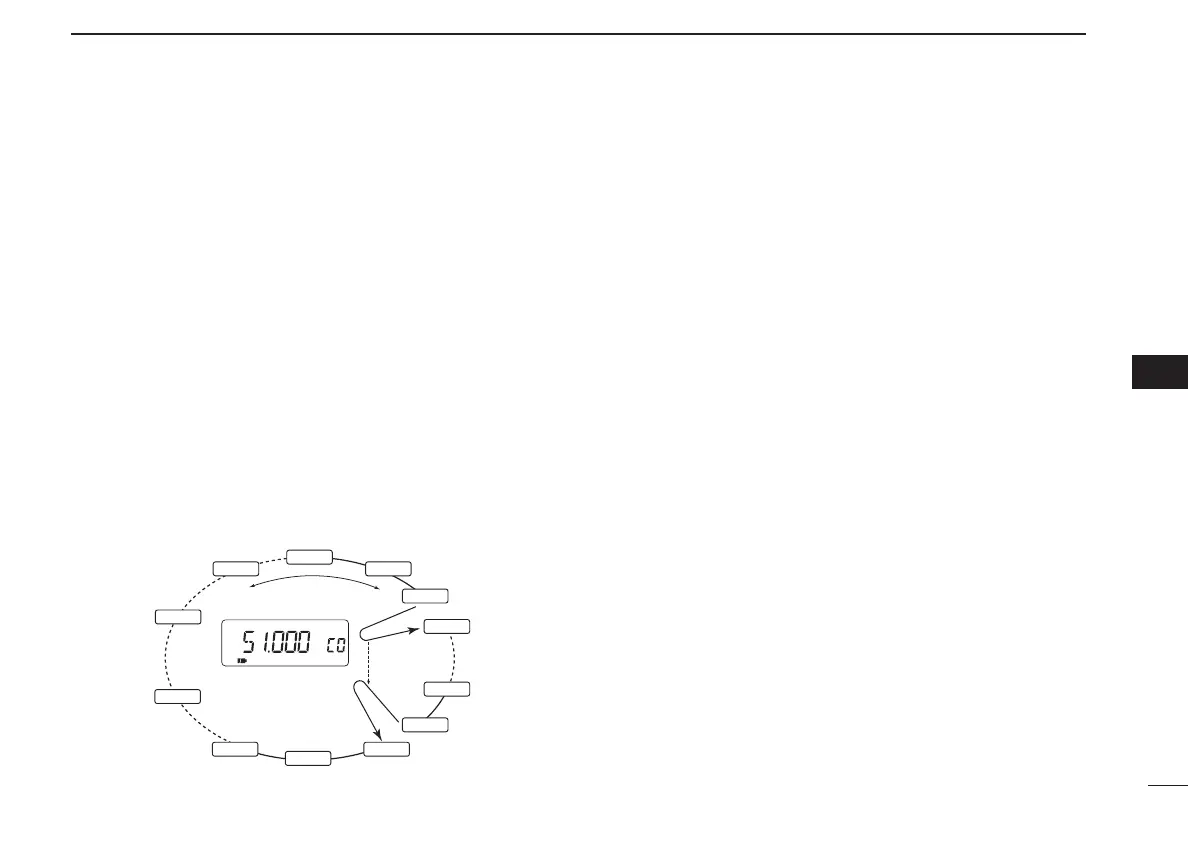
D VFO scan with call channel watch
While scanning in VFO mode, priority watch checks for sig-
nals in the selected call channel every 5 sec.
q Select VFO mode.
w Push [CALL/TV] to select call channel mode.
e Rotate [DIAL] to select the desired call channel.
r Push [8 SET] for 1 sec. to enter set mode.
t Rotate [DIAL] until “PRIO” appears.
y Push [8 SET] to select the priority watch item.
u Rotate [DIAL] to select the priority watch (“ON”) or priority
watch with alert (“BELL”).
i Push [VFO] to exit set mode and start the priority watch.
o Push [MODE SCAN] for 1 sec. to start a VFO scan. (full
scan, band scan or programmed scan)
!0 Push [VFO] while the display shows the VFO frequency to
stop the VFO scan and priority watch.
VFO scan
Call channel
5 sec.
Watches call Ch
while VFO scanning.
Pauses when a signal
is received in call Ch.
PRIO
FM
145.100
145.120
145.140
145.200
145.220
145.240
145.260
51.000
850.000
433.500
433.000
145.280
uu
PRIORITY WATCH
IC-T90A_IM.qxd 02.6.6 08:44 AM Page 57 (1,1)



 To Next Page