5
OPTIONAL PRODUCTS
5-24
■ Initializing the pairing list of the VS-3
If you have some troubles with the Bluetooth operation, initialize the pairing list, as shown below.
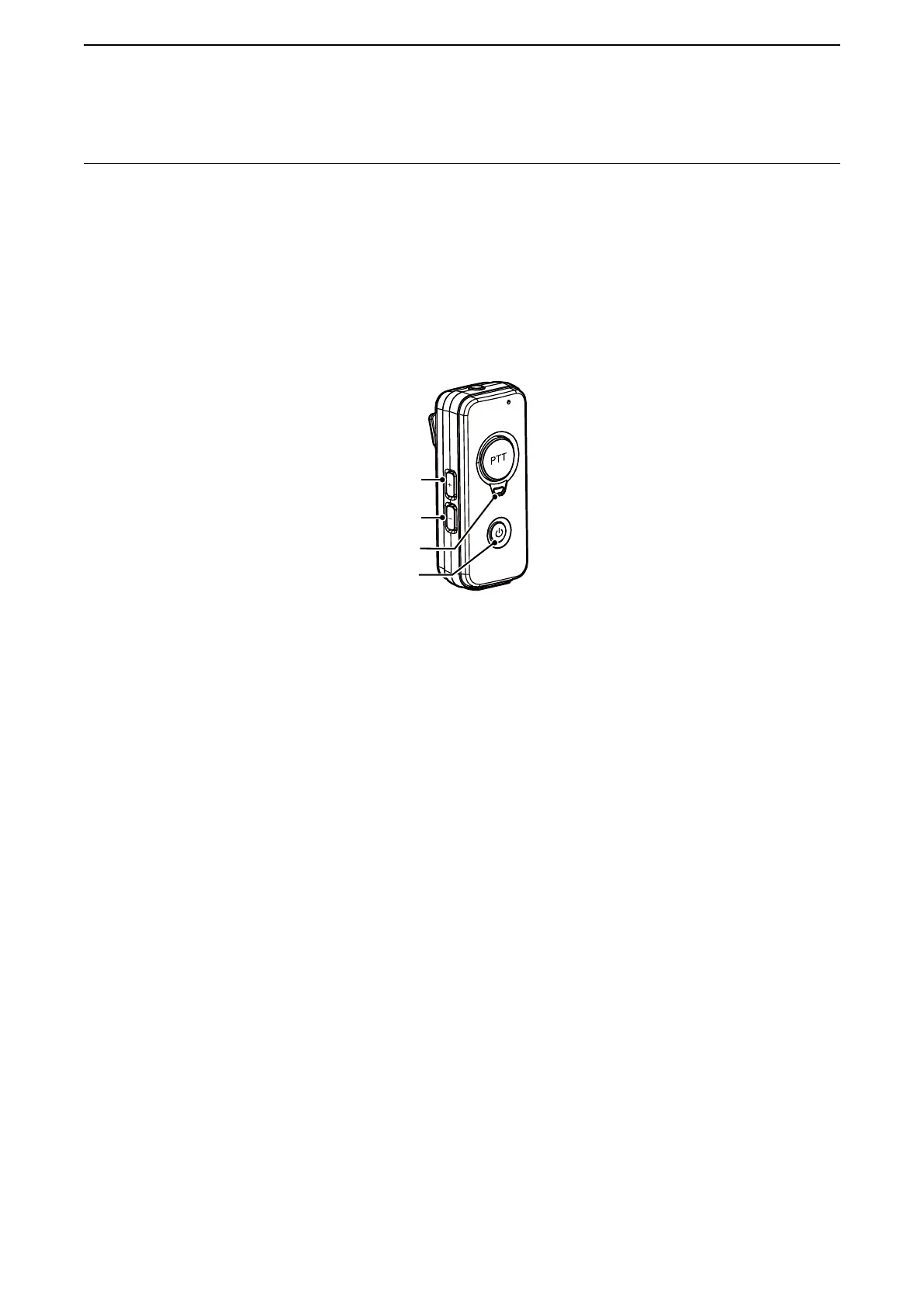
1. Hold down [PWR] on the VS-3 for 3 seconds, to turn ON the Bluetooth function.
• The LED Blinks blue.
2. Hold down [PWR] on the VS-3 for 3 seconds again, to turn OFF the Bluetooth function.
• The LED turns OFF.
3. Within 10 seconds after holding down both [VOL] (–) and [VOL] (+), hold down [PWR] for 10 seconds.
• The LED lights violet, and the pairing list is initialized.
[VOL] (+)
[VOL] (–)
LED
[PWR]


 To Next Page