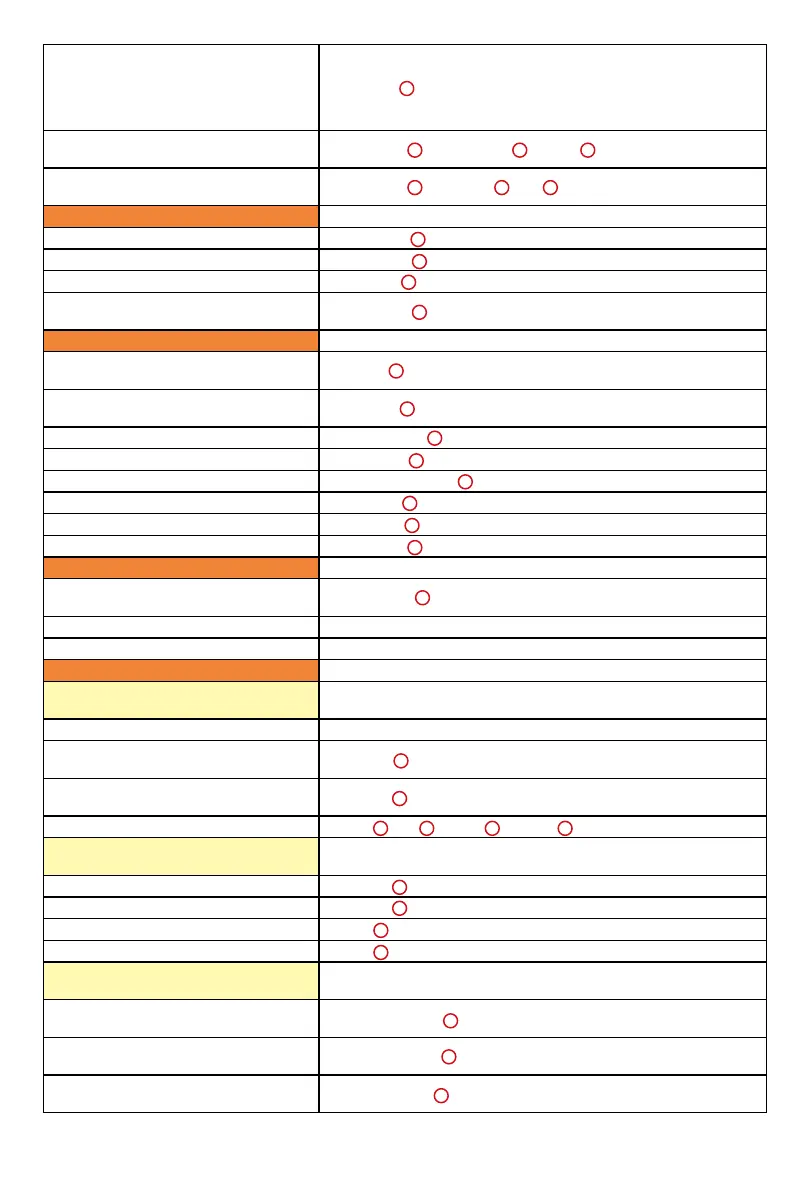
119
Disengage a fader from any Mix
group. Relase the button and the
fader obeys group behavior again.
Used to offset a fader's level within a
group
Press [Ctrl ]
Scolls the frontmost window to the left
or right
Press [Cmd ] - Press [<< ] or [>> ]
Scolls the frontmost window upward
or downward
Press [Cmd ] - Press [ ] or [ ]
Utilities
Save the project Press [Save ] twice
Undo the last edit operation Press [Undo ]
Abort or exit a process Press [Esc ]
Denes a memory location or marker
during playback or recording
Press [Enter ]
Transport buttons
Set Edit selection "In" point to the
current locator position
Press [IN ]
Set Edit selection "Out" point to the
current locator position
Press [Out ]
Activate the Rewind function Press [Rewind ]
Activate the Loop function Press [Loop ]
Activate the Fastforward function Press [Fastforward ]
Activate the Record function Press [Rec ]
Activate the Play function Press [Play ]
Activate the Stop function Press [Stop ]
Jog Wheel & Scrub button
Swicthing the Jog wheel function from
Scrub to Shuttle
Press [Scrub ] ( Toggles squency: Scrub - Shuttle - Off)
Scrubs or Shuttles forward Rotate (Jog wheel) clockwise
Scrubs or Shuttles backward Rotate (Jog wheel) anti-clockwise
Zoom & Navigation buttons
Navigation mode (Zoom/42 button is
off)
Navigation arrow Rotate (Jog Wheel)
Moves the edit cursor to the previous
region boundary or sync point
Press [<< ]
Moves the edit cursor to the next
region boundary or sync point
Press [<< ]
Mark-in & mark-out controls Press [ ] & [ ] or [IN ] & [Out ]
Zoom mode (Press Zoom/42 once to
enter: light)
Decreases the horizontal zoom Press [<< ]
Increases the horizontal zoom Press [<< ]
Decreases the vertical zoom Press [ ]
Increases the vertical zoom Press [ ]
Selection mode (Press Zoom/42 twice
to enter: Flash)
Adjust the selection "In" point for
making a selection
Press & hold [<< ] - Rotate the (Jog wheel)
Adjust the selection "Out" point for
making a selection
Press & hold [>> ] - Rotate the (Jog wheel)
Positions the cursor at the current
selection's left edge
Press twice [<< ]
1
1
3
41
40
33
34
14
35
27
28
30
31
32
36
37
38
39
41
43
40 44
41
43
40
44
41
41
43
27 28
43
44



 To Next Page