10
Getting Started
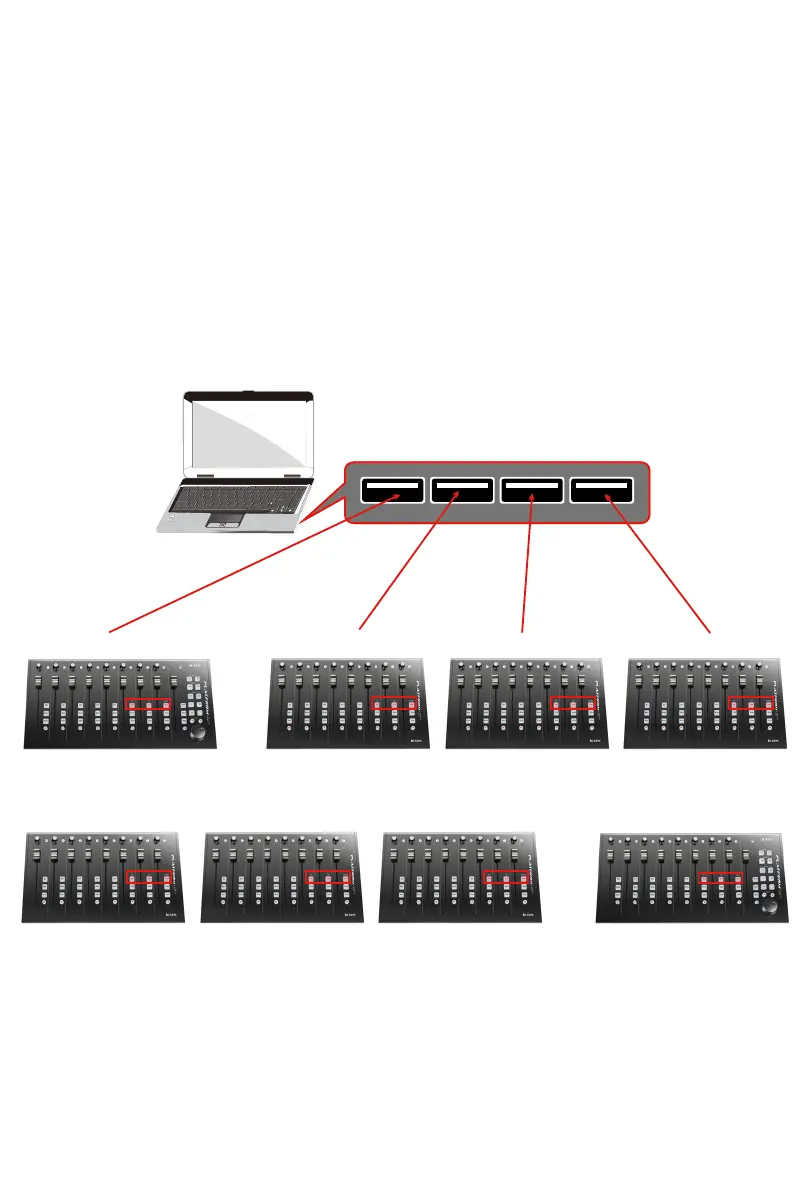
(Use as a extender with Platform M+)
Connecting Your Platform X+ Controller
1. Connect the Platform X+ to your Mac/PC via the USB port
Choose a USB port on your Mac/PC and insert the wide (at) end of the USB
cable. Connect the cable’s other end to the Platform X+. Your Mac/PC should
automatically “detect” the new hardware and notify you that it is ready to use.
(Tips: We recommended that you use ICON’s OneHub USB hub, which allows
you to connect up to 3 units of Platform X+, if you are not connecting Platform
X+ directly to your computer’s USB port).
Esc
F1
F2
F3
F4
F5
F6
F7
F8
F9
F10
F11
F12
Prtsc
sysrq
pause
Break
Lns
Del
Home
Pgup
PgDN
End
$
~
`
!
1
··
2
3
4
5
6
7
78
9
0
)
)
*
—
-
+
=
#
¥
%
*
#
#
Q
W
E
R
T
Y
U
I
O
P
{
}
|
A
S
D
F
G
H
J
K
L
:
;
Z
X
C
V
B
N
M
<
>
?
Tab
CapsLook
Shift
Ctrl
Alt AltGr
Ctrl
Backspace
[
]
|
Enter
Shift
intel
Setup up for your Platform M
+
& Platform X
+
controller section
Platform X
+
(X+3)Platform X
+
(X+1) Platform X
+
(X+2)Platform M
+
+
Platform X
+
(X+1)Platform X
+
(X+3) Platform X
+
(X+2) Platform M
+
or
+



 To Next Page