14
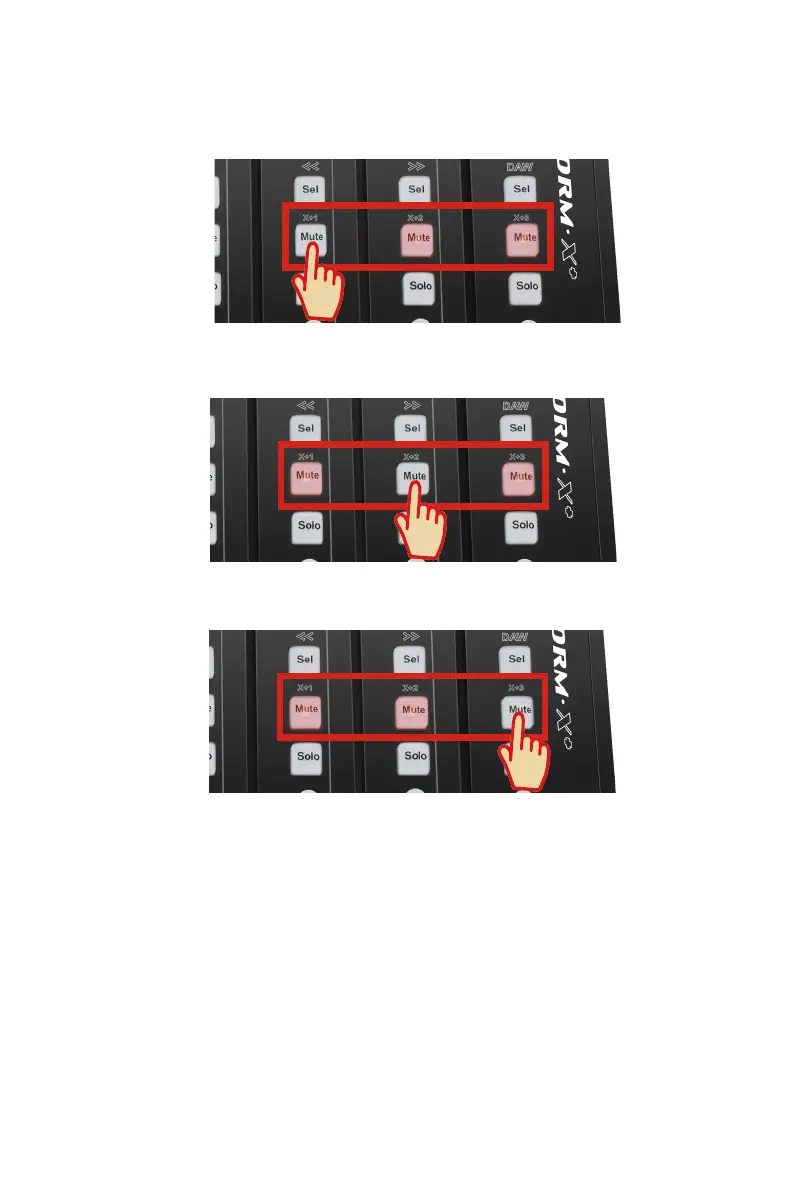
Platform X+ (X+1)
Platform X+ (X+2)
Platform X+ (X+3)
4. Setup your DAW
Activate the ICON Platform X+ controller in your DAW or MIDI software using “MIDI
Setup” or “MIDI Devices”.
For Logic
TM
, Cubase
TM
and Nuendo
TM
, choose Mackie Control at the “Device List”.
(Tip: You may also refer to our website at www.iconproaudio.com, at each
controller (Platform X+) product page’s “Setup demo” section for different DAW
set up illustrations.
For DAW that not on our setup demo list, please refer to your software user
manual for the hardware setup.)
3. Select the device unit number
Please refer to the below diagram for setting the unit number to your Platform
X+(s).



 To Next Page