42
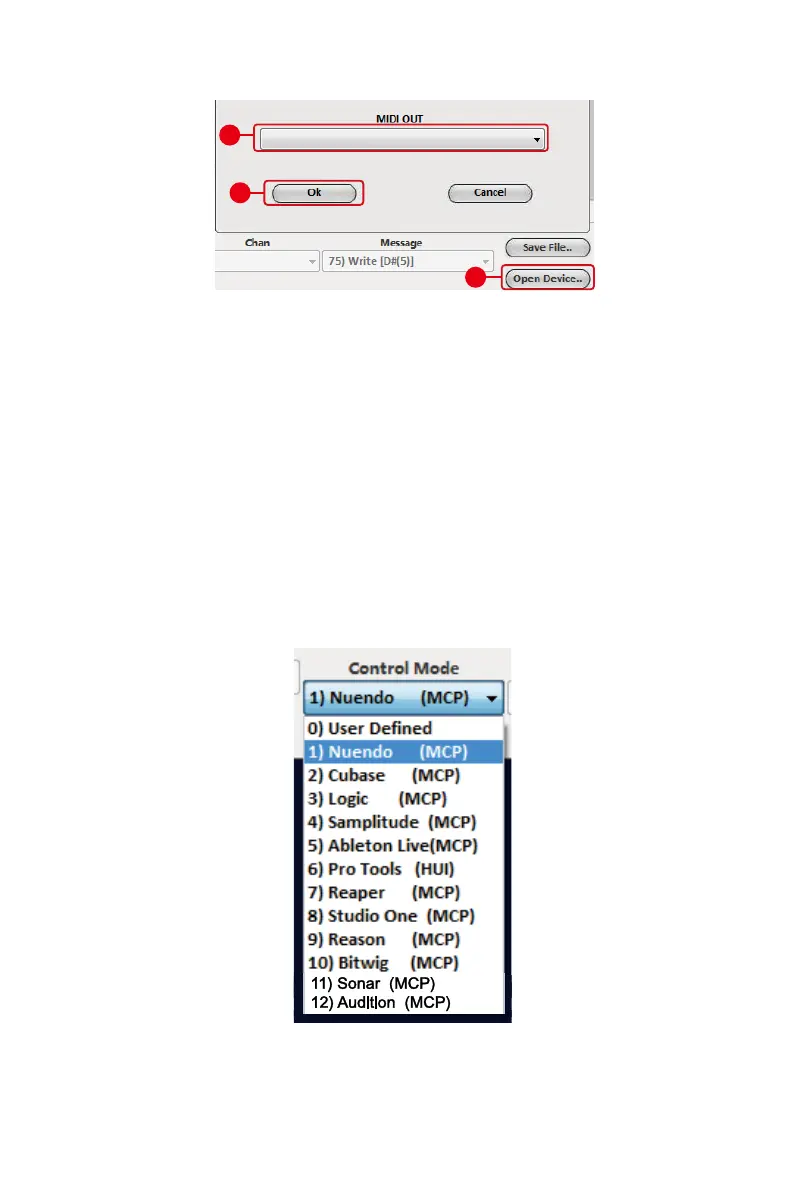
3. Select “Platform X+” from the pop-up menu as your MIDI out
device.
4. According to your DAW, select the DAW Mackie/HUI protocol
mode from the “Mode” pull-down menu. There are different
DAW modes as listed below:
1. MCP – For Nuendo / Cubase / Samplitude / Ableton Live / Reaper / Studio
One / Reason / Bitwig / Sonar / Audition / FL Studio / Digital Performer
2. Logic Pro – For Logic Pro
3. HUI – For Pro Tools
4. User dene – For User dene
Note: In DAW mode (Mackie Control/HUI), you cannot change any MIDI
message settings for any control on Platform X+.
5. After you have nished creating all settings, click “Send Data”.
6. Close iMap.
1
3
Platform X+ V1.00
2



 To Next Page