BIA-DPC1 rev 4 Page 28
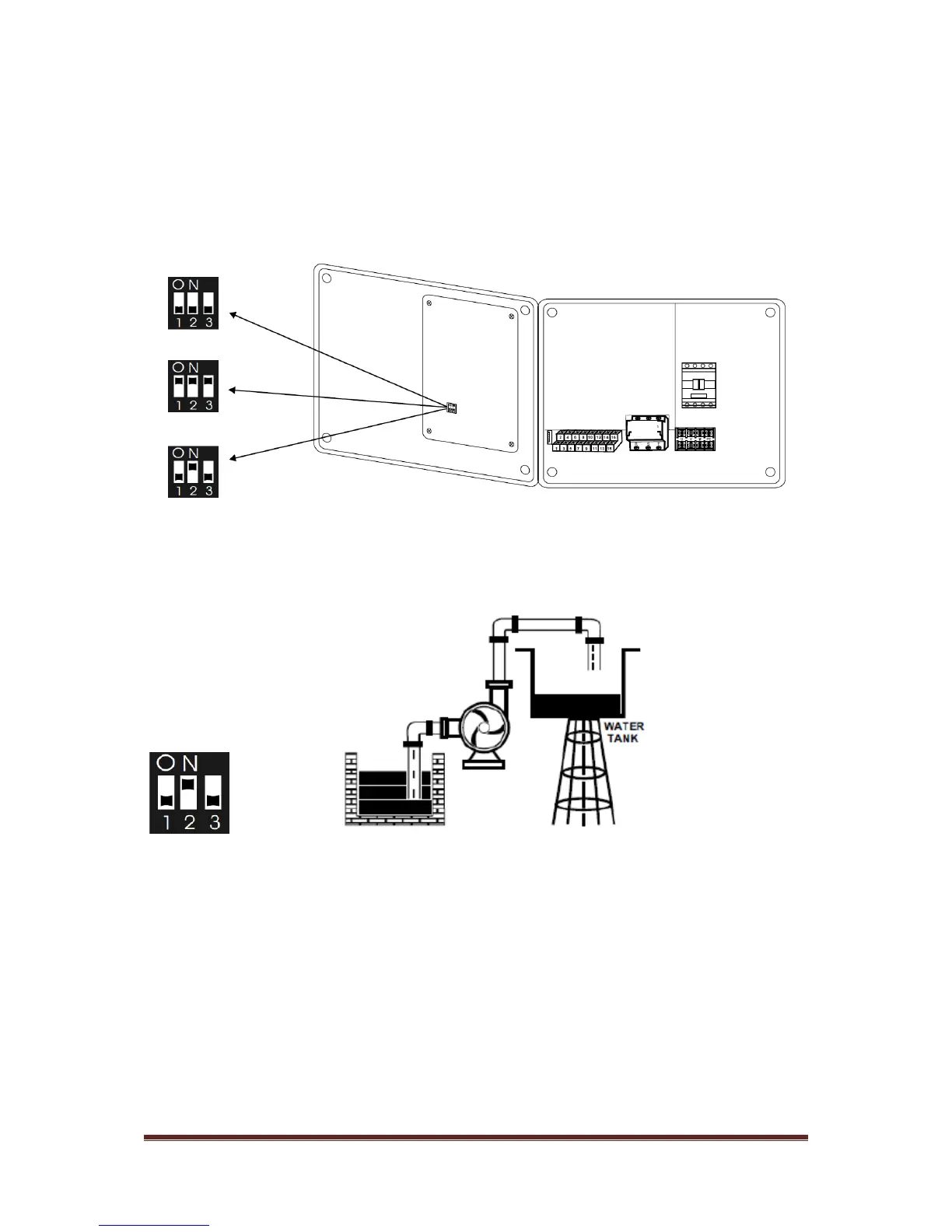
4.2 Function switch setting - TRANSFER
Installers can set the function switch to meet different applications. Before setting the function switch, the
control panel should be disconnected from the power supply.
After completing the setting, apply power to the control panel and observe the application sign displayed on
the LCD conforming to the TRANSFER symbol.
TRANSFER SETTING TRANSFER SYMBOL


 To Next Page