User's
8 User Guide
SETTING TIME/DATE
20.0ºC
20.0ºC
3.1ºC
0l/min
0%
Off
Off
CH
Off
Primary flow temp
Hot water temp
Outside temp
Primary water flow
Compressor
CH1 Pump
CH2 Pump
Diverter valve
Immersion heater
08:32
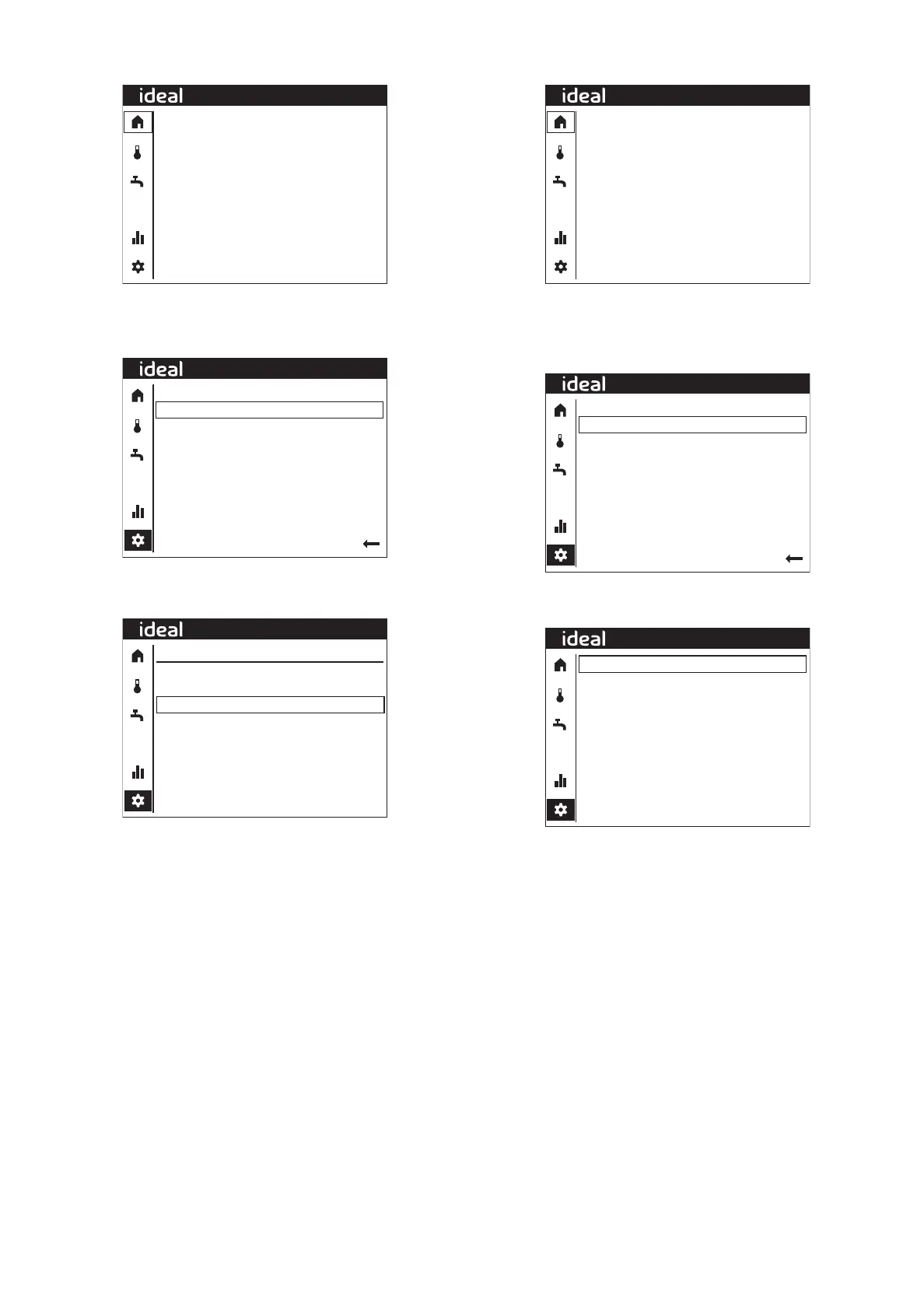
Starting from the Home Screen (see above), to set time/date,
rotate the dial until the settings icon in the left-hand column is
highlighted and select. The following screen will be shown:-
Set Time/Date
Special operations
User settings
User information
Installer
08:32
Rotate the dial until Set Time/Date is highlighted and then press
the dial and the following screen will be shown:-
08:32
06.05.2022
Back
Set Time/Date
Time
Date
08:32
Rotate the dial until the Time is highlighted and press the dial
then rotate the dial to change the time and press the dial to save.
Rotate the dial until the Date is highlighted and press the dial
then rotate the dial to change the date and press the dial to save.
SWITCHING THE DHW IMMERSION HEATER ON
20.0ºC
20.0ºC
3.1ºC
0l/min
0%
Off
Off
CH
Off
Primary flow temp
Hot water temp
Outside temp
Primary water flow
Compressor
CH1 Pump
CH2 Pump
Diverter valve
Immersion heater
08:32
Starting from the Home Screen (see above), to switch the DHW
immersion heater on, rotate the dial until the settings icon in the
left-hand column is highlighted and press the dial. The following
screen will be shown:-
Set Time/Date
Special operations
User settings
User information
Installer
08:32
Rotate the dial until Set Special operations is highlighted and
then press the dial and the following screen will be shown:-
Off
Back
Special operations
Emergency Mode
08:32
Rotate the dial until the Emergency Mode setting is highlighted
and press the dial then turn the dial to change the setting and
press the dial to save



 To Next Page