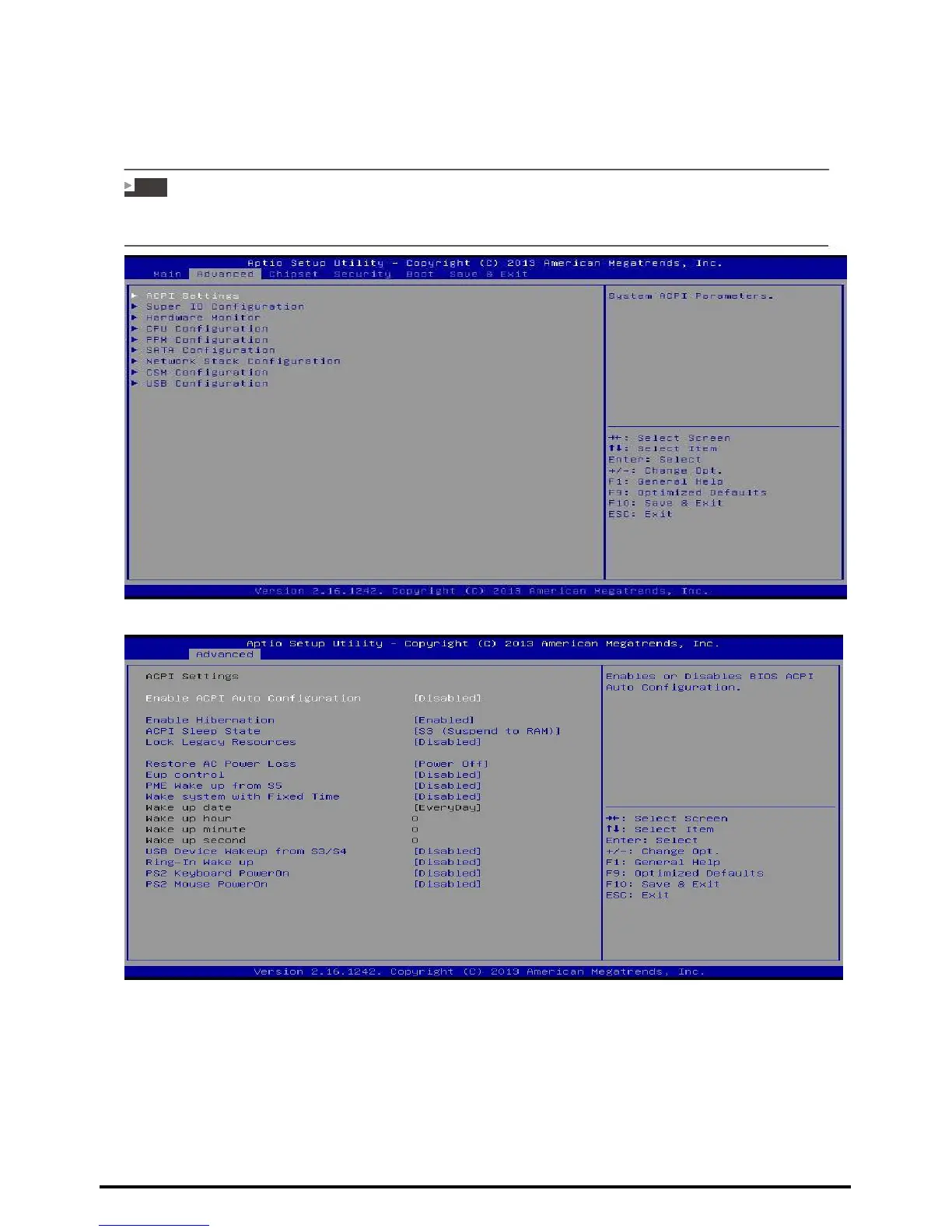
3.2 Advanced Menu
The Advanced Menu allows you to configure the settings of CPU, Super I/O, Power
Management, and other system devices.
Note
»»» Beware of that setting inappropriate values in items of this menu may cause system to malfunction.
»»» The options and default settings might be different by RAM or CPU models.
ACPI Settings
Enable ACPI Auto Configuration
This item enables or disables BIOS ACPI Auto
Configuration. Options: Disabled (Default) / Enabled
Enable Hibernation
This item enables or disables system ability to hibernate (OS/S4 sleep state)/ This option
may be not effective with some OS.
Options: Enabled (Default) / Disabled
22 | Chapter 3: BIOS Setup



 To Next Page